
Review processed and unprocessed sessions together, save the views you use most, and evaluate or export sessions from one workspace.
Where: This change applies to Lightning Experience in Enterprise, Performance, and Unlimited Editions with Salesforce Foundations or Agentforce 1 Edition.
When: This functionality is available on a rolling basis in Salesforce orgs upgraded to Winter ’27 starting the week of October 19, 2026. Go to trust.salesforce.com for exact dates.
Who: To use Agentforce Studio in Agentforce Observability, assign the Access Agent Optimization and Data Cloud User permission sets.
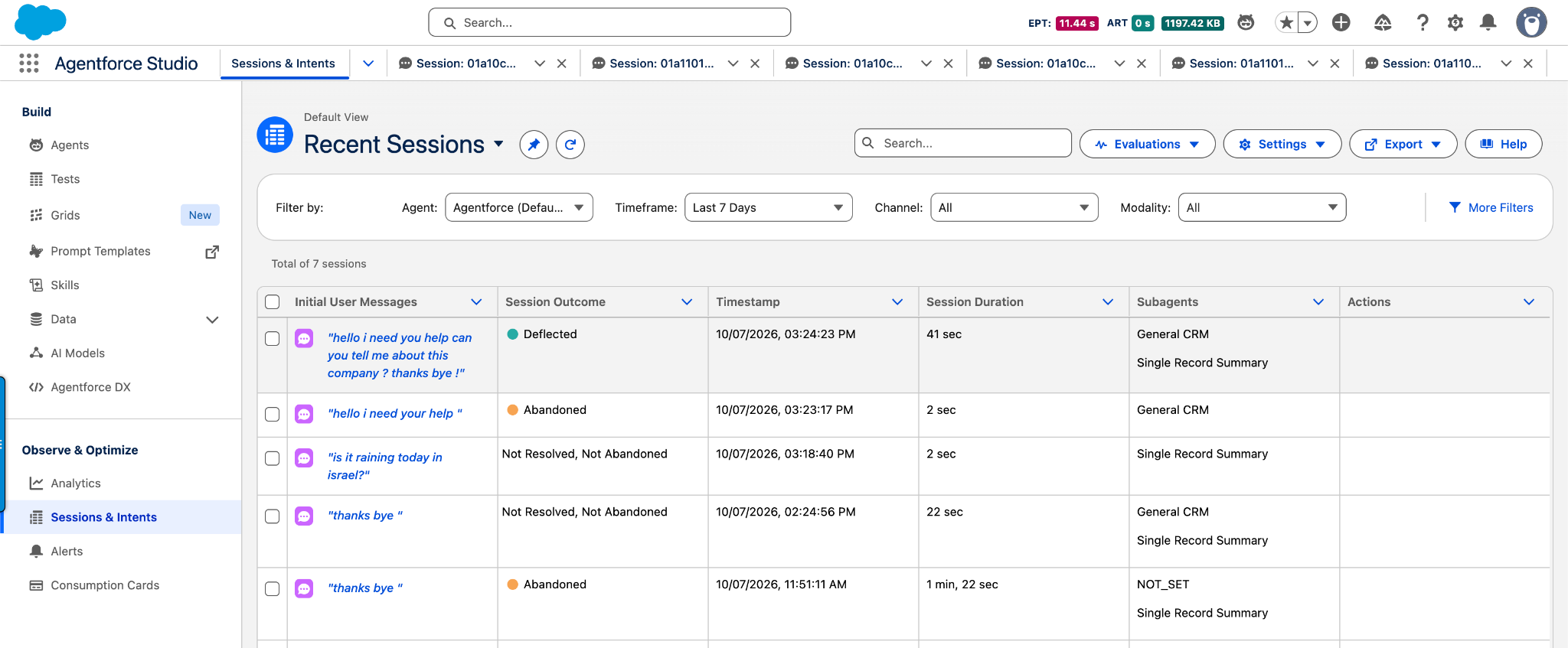
How: In Agentforce Studio, under Observe & Optimize, select Sessions & Intents. The default Recent Sessions view includes processed and unprocessed sessions. To open the previous view, select Sessions with Intents from the View menu. Use Settings to customize columns, create saved views, and pin views that you reuse. Use Evaluations to create and manage reusable AI scorers and feedback templates. Use Export to download the list as a CSV or send selected sessions to Agentforce Grid.