Accelerate Dashboard Insights with Enhanced Document Search and Automated Refreshes for Google Drive
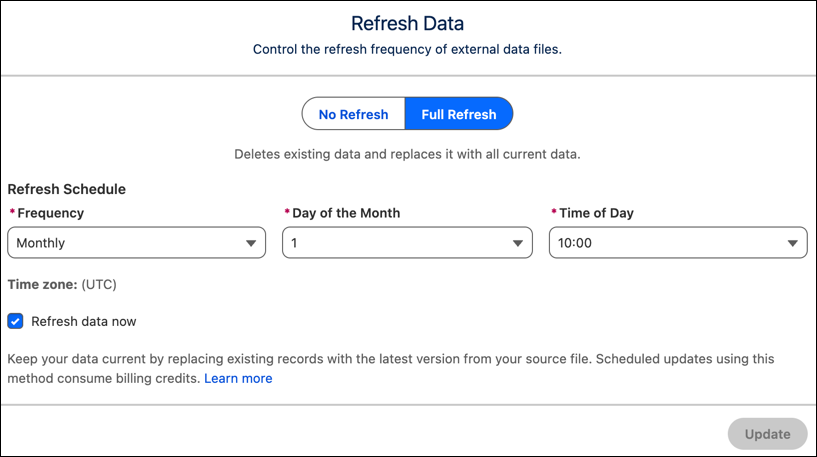
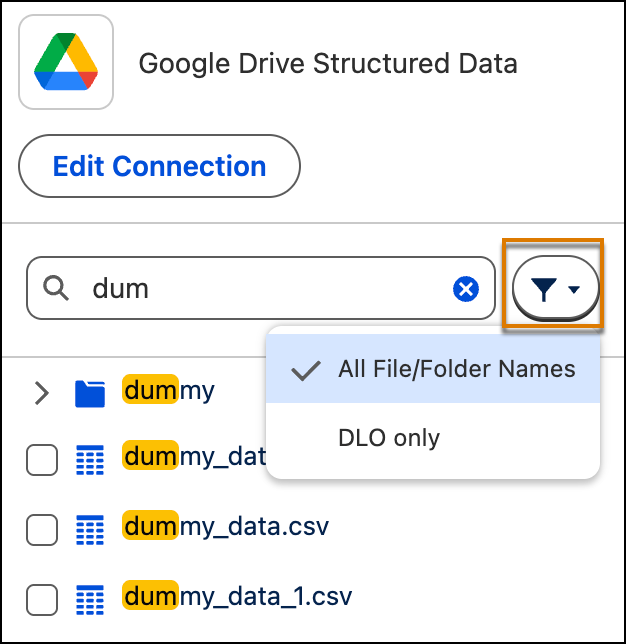
Search for files and folders by name on My Drive, Shared Drive, and Shared with me instead of navigating complex folder structures. This enhanced search experience goes beyond the local cache, enabling you to differentiate between duplicate file names. Pair this update with automated refreshes for Google Drive data lake objects to make sure that your dashboards remain up to date.
Where: This change applies to Tableau Next in Enterprise, Performance, and Unlimited editions.
How: To locate your files, open a Google Drive connection and type a value into the search bar to see matches. To see existing data lake objects (DLO) in the connection, click the filter and select DLO only.
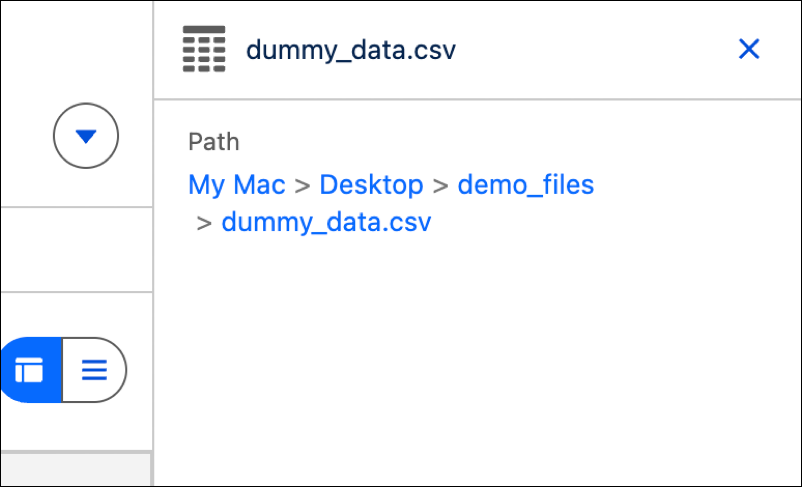
You can also view a file’s full path by selecting a file and clicking Details in its submenu. Each component in the file path functions as a discrete link that goes to that location.
To set up an automated full refresh schedule, select a file and click Create Data Lake Object. Go to Refresh Data and click Edit and set up your schedule. To initiate the process right away, click Refresh data now.