
See more context on every deal so you can spot risks faster and move your deals forward. The Alerts, Contacts, Activity, and Sales Methodology columns now appear in your Pipeline Inspection list views automatically. Reorder or remove the columns to fit how you work.
Where: This change applies to Lightning Experience in Enterprise, Performance, and Unlimited editions with Agentforce Sales.
When: This change is available on a rolling basis starting in early July 2026.
Why: The columns give you at-a-glance context on each deal without extra clicks. Here's how they appear in Pipeline Inspection.
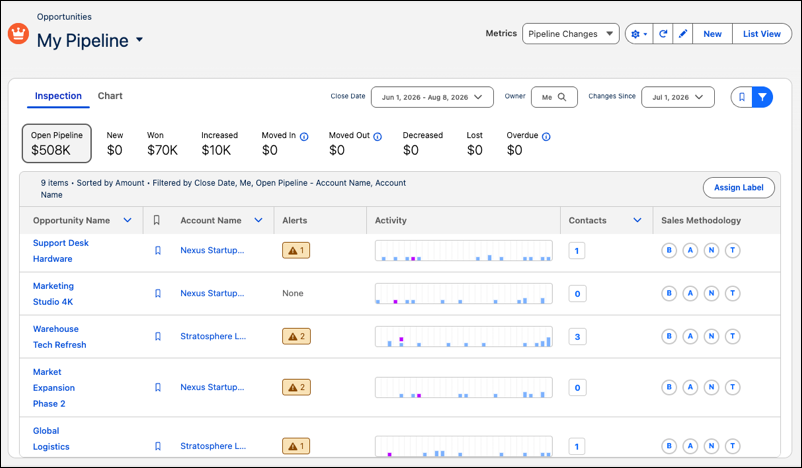
How: Each column shows when its prerequisite features are set up, so you see only the columns that are relevant to you. For example, the Sales Methodology column shows only if your admin has configured a sales methodology for your org. To reorder or hide columns, click the gear icon and select Select Fields to Display. Then, make and save your changes.