
Analyze Video Meetings Faster with Transcript Upload in Einstein Conversation Insights
Process your important video meetings with Einstein Conversation Insights (ECI) by uploading call transcripts. Analyze conversations from third-party meeting platforms to unlock insights and identify coachable moments, even for historical calls.
Where: This change applies to Einstein Conversation Insights in Lightning Experience. Einstein Conversation Insights is available in Starter, Pro, Enterprise, Performance, Unlimited, and Agentforce 1 Sales editions.
When: This feature is available in late June 2026.
Who: This feature applies to ECI customers who are on the new Salesforce Platform infrastructure. It’s not available to legacy ECI orgs until they’re migrated to the Salesforce Platform. See Einstein Conversation Insights Data Is Moving to The Salesforce Platform.
To use this feature, ECI users must be authenticated with at least one of these vendors–Zoom, Microsoft Teams, or Google Meet.
Why: Previously, ECI users could only upload video recording files, which required backend processing engines to generate transcripts and insights. Now, ECI can directly process the vendor-provided transcript file and uploading the video recording is optional.
Transcript upload is supported for Zoom (VTT), Microsoft Teams (VTT), and Google Meet (TXT). A user can upload up to three MP4 video recordings (up to 2 GB each) and an unlimited number of transcript files (up to 250 KB each) per day.
How: To turn on the feature, from Salesforce Go, enter Einstein Conversation Insights under Features. Then enable Turn On Manual Transcript Upload.
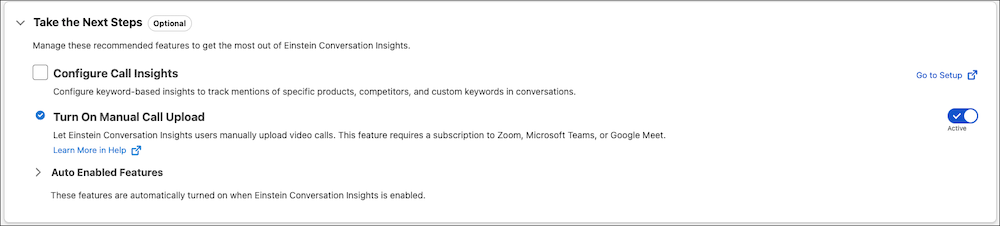
Your ECI data must be migrated to the Salesforce Platform to upload call transcripts. This feature replaces the manual video upload feature that allowed uploading video call recordings only.