Give your store associates the flexibility to offer the right warranty coverage at the right moment without creating order management headaches. The POS system automatically calculates warranty options based on eligible cart subtotals. With the right approval policy, associates can adjust warranty coverage for specific products at the point of sale. Also, you can require warranty checks before completing checkout. This capability integrates with a new warranty retrieval SPI, enabling a straightforward way to connect your current warranty catalog to the POS experience.
Where: This change applies to Point of Sale.
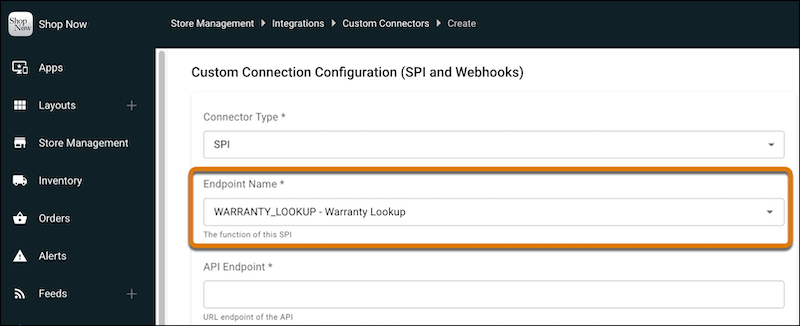
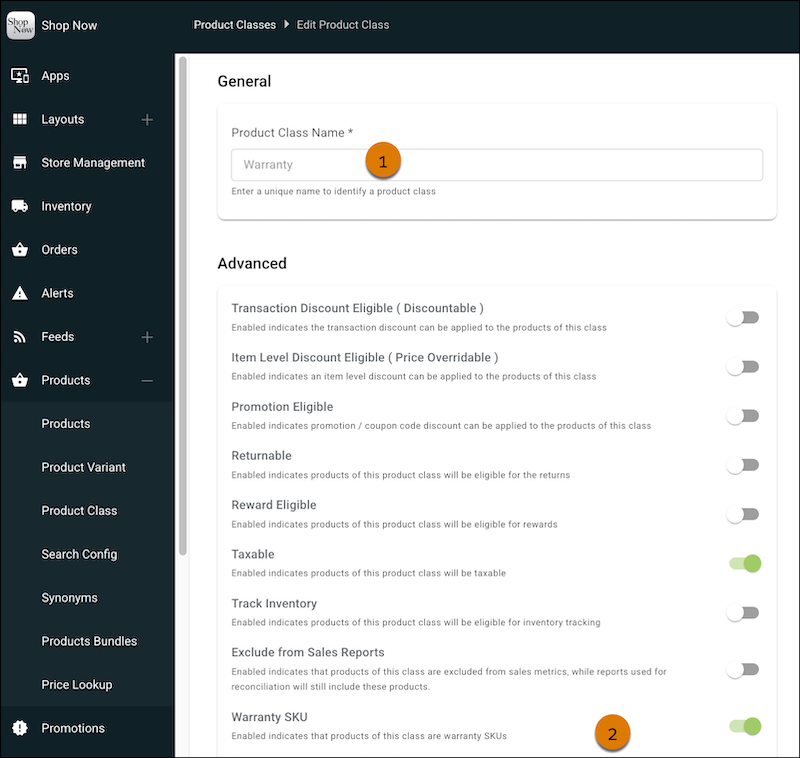
How: First, go to and configure the Warranty Lookup SPI connection. To make products eligible for the warranty SPI, create a warranty product class. In CMS, go to , and then click New. Name the product class as Warranty (1) and enable Warranty SKU (2). Add the warranty deep link to your Cart Options layout.