Reduce Fulfillment Costs and Improve Customer Satisfaction by Canceling BOFIS Orders Up to the Moment of Shipment
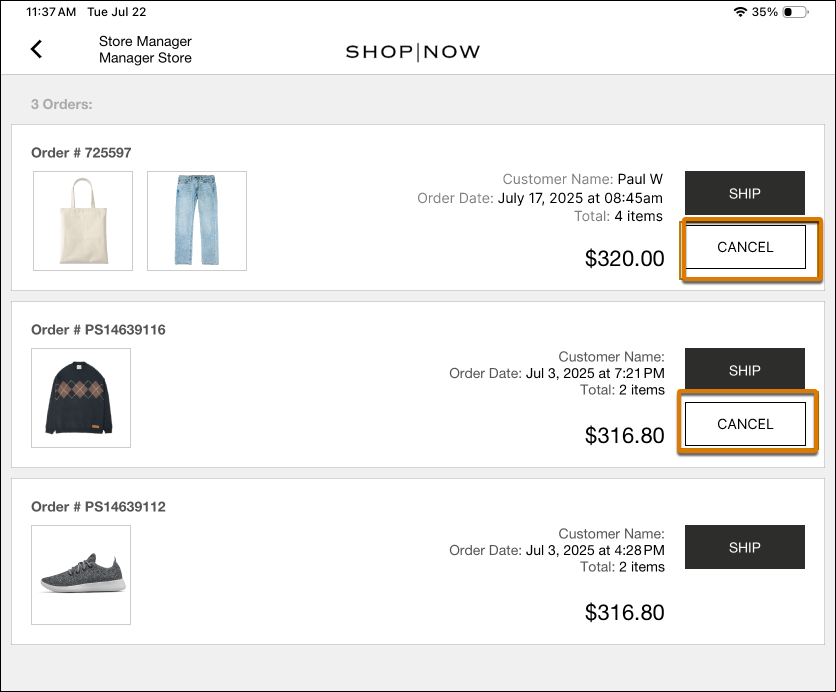
Avoid unnecessary shipping costs and improve customer satisfaction by canceling Buy Online, Fulfill in Store (BOFIS) orders at any point before shipment, including after packing. Previously, the POS removed the cancel option once an order was packed or marked ready to ship, forcing store associates to complete and ship unwanted orders, increasing costs and complicating returns. Now, you can cancel right up to the moment of shipment, reducing wasted fulfillment effort, cutting unnecessary shipping expenses, and resolving last-minute customer cancellation requests quickly and efficiently.
Where: This change applies to Point of Sale.
How: In the POS app, go to the pack page for any BOFIS order and cancel any order that hasn’t shipped yet.