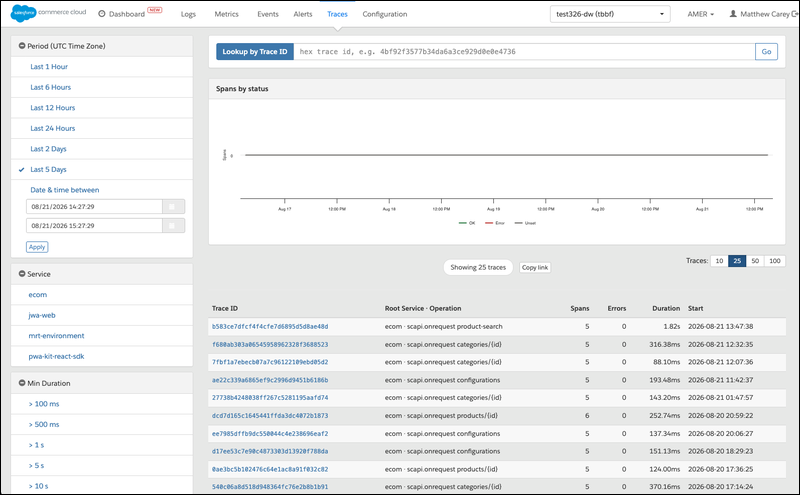
Now you can follow a single request in Log Center as it travels across B2C Commerce services. The new Traces page (Beta) shows the end-to-end path of a request and the time spent in each service, so you can pinpoint where latency or errors occur without stitching together separate logs. Search traces by service and time period, open a trace to read its nested span waterfall, and share a view with a colleague through a copyable link.
Where: This change applies to B2C Commerce. The Traces feature is a closed Beta in Log Center for developers, DevOps engineers, and admins, and is enabled per realm through a feature flag.

How: To join the closed Beta, contact Salesforce Customer Support, your Technical Account Manager (TAM), or your Customer Success Manager (CSM). After the Traces feature is enabled for your realm, open Log Center and click Traces in the header navigation bar. Search traces by service and time period, filter by realm, open a trace to read its nested span waterfall, and click Copy link to share a view with a colleague.