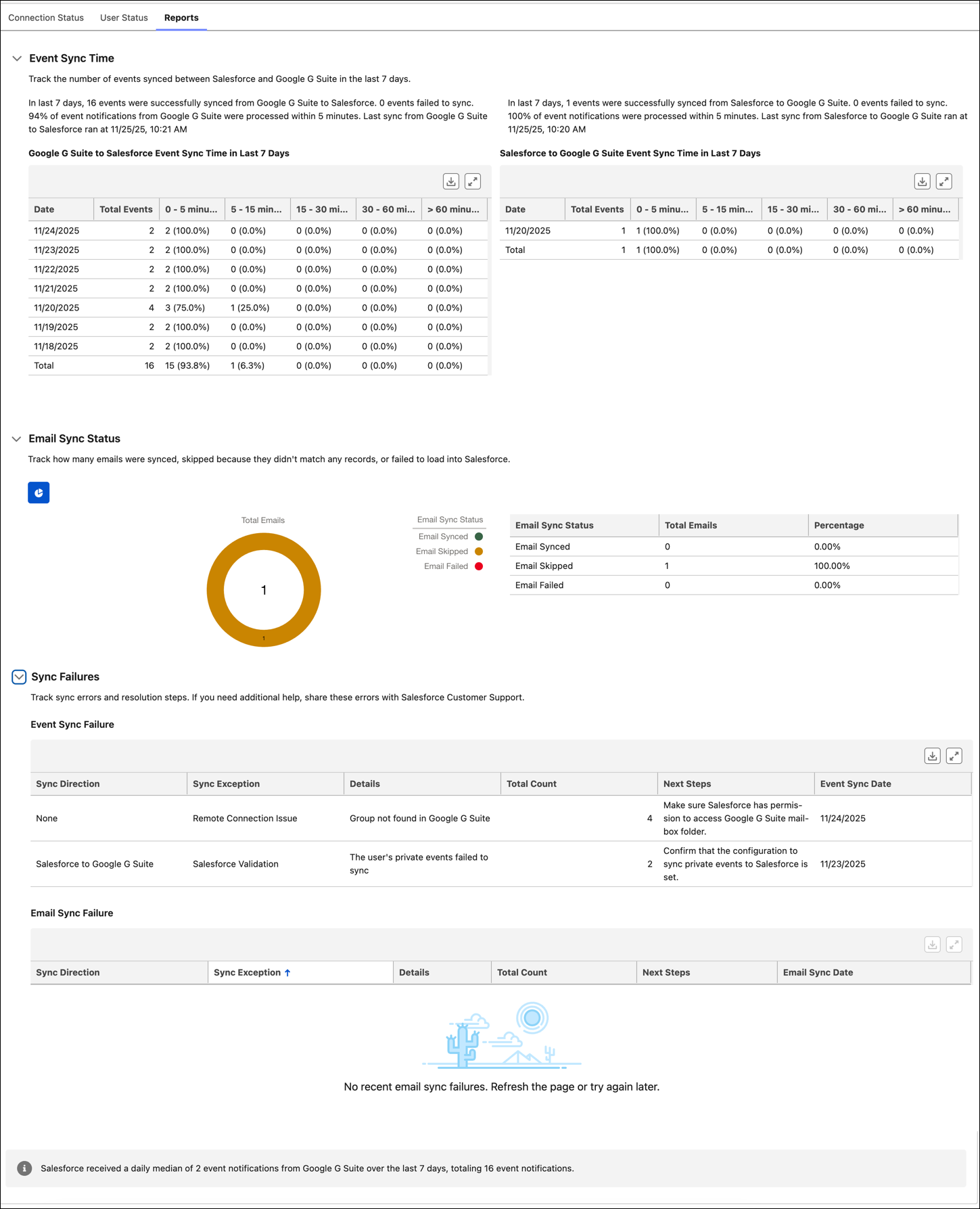
Get clear insights into event and email sync status with accurate metrics. For example, identify and resolve setup issues more effectively and improve user trust with sync failure reports. Starting Spring ’26, daily event sync time reports exclude no-operations events, which are non-meaningful changes that don’t update the event. By excluding events, such as onboarding and backfill events, the reports provide accurate sync metrics that reflect only meaningful changes. Salesforce admins can accurately assess whether significant events process within published performance times.
Where: This feature is available in Lightning Experience in Starter, Professional, Enterprise, Unlimited, Einstein 1 Sales, and Agentforce 1 Sales editions. It’s also available with the Einstein for Sales, Sales Engagement, and Revenue Intelligence add-ons.
How: On the Reports tab, you can find reports on event sync time between Salesforce and the email account connected to Einstein Activity Capture, email sync status, and sync failures.