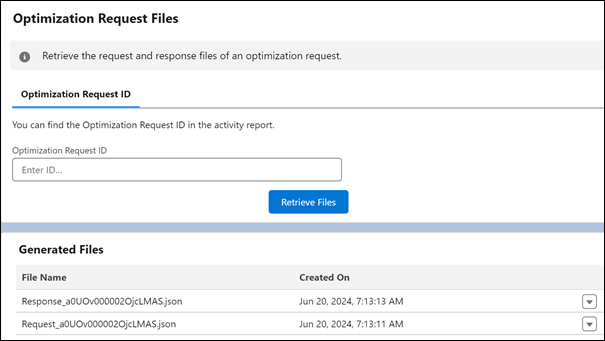
Use Optimization Request Files to retrieve the request and response files of an optimization request. Review the files in a JSON format to find out what happened to a specific request and quickly resolve related issues. Previously, you had to open a Support case and wait to get the files, which delayed the troubleshooting process.
Where: This feature is available in Lightning Experience in Enterprise, Unlimited, and Developer editions with the Field Service managed package installed.
How: In Setup, go to Field Service Settings and verify that Field Service Enhanced Scheduling and Optimization is enabled. In the Field Service Admin app, click the Field Service Settings tab and select Scheduling. Then, enable optimization request files under General Logic. To access optimization request files, from the App Launcher, find and select Optimization Center.