Let service reps translate Service Email conversations, expanding customer support across languages. A rep can translate an end user’s email into the rep’s language, as well as translate their response into the end user’s language before sending. Previously, a Service Email rep had to speak the same language as an end user in order to assist.
Where: This change applies to Service Email. View required editions.
How: Go to the Real-Time Translations node in Setup, and turn on Translate Service Email. Optionally, upload a custom terminology file to assist with translation of your business terminology.
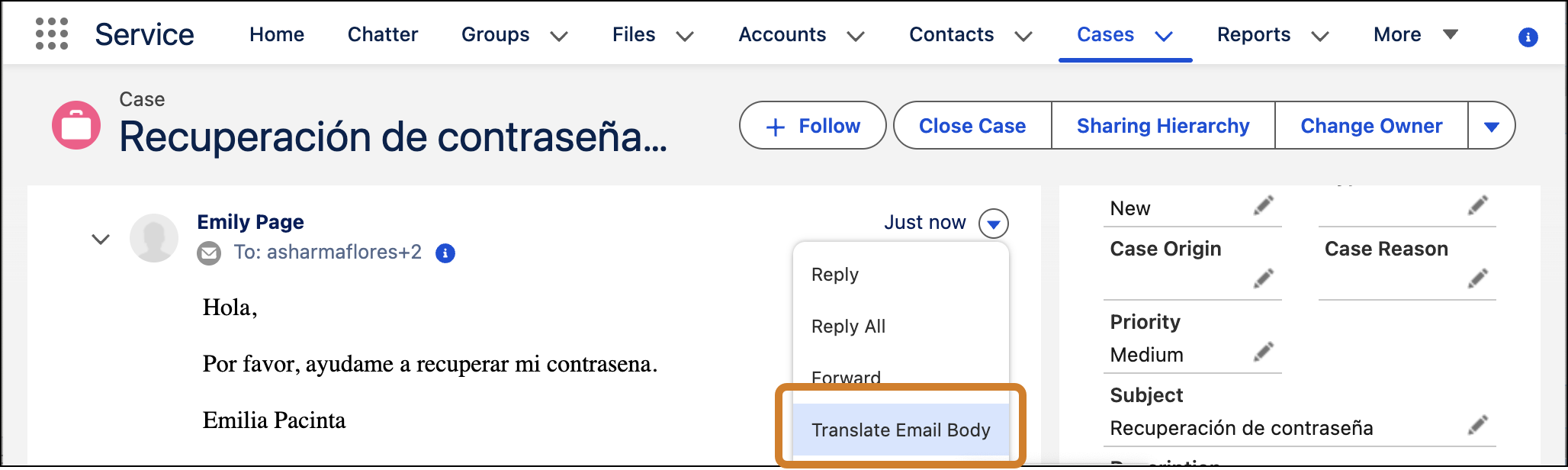
A Service rep can translate an end-user’s email in the case feed by clicking the dropdown to the right of the email and selecting Translate Email Body.
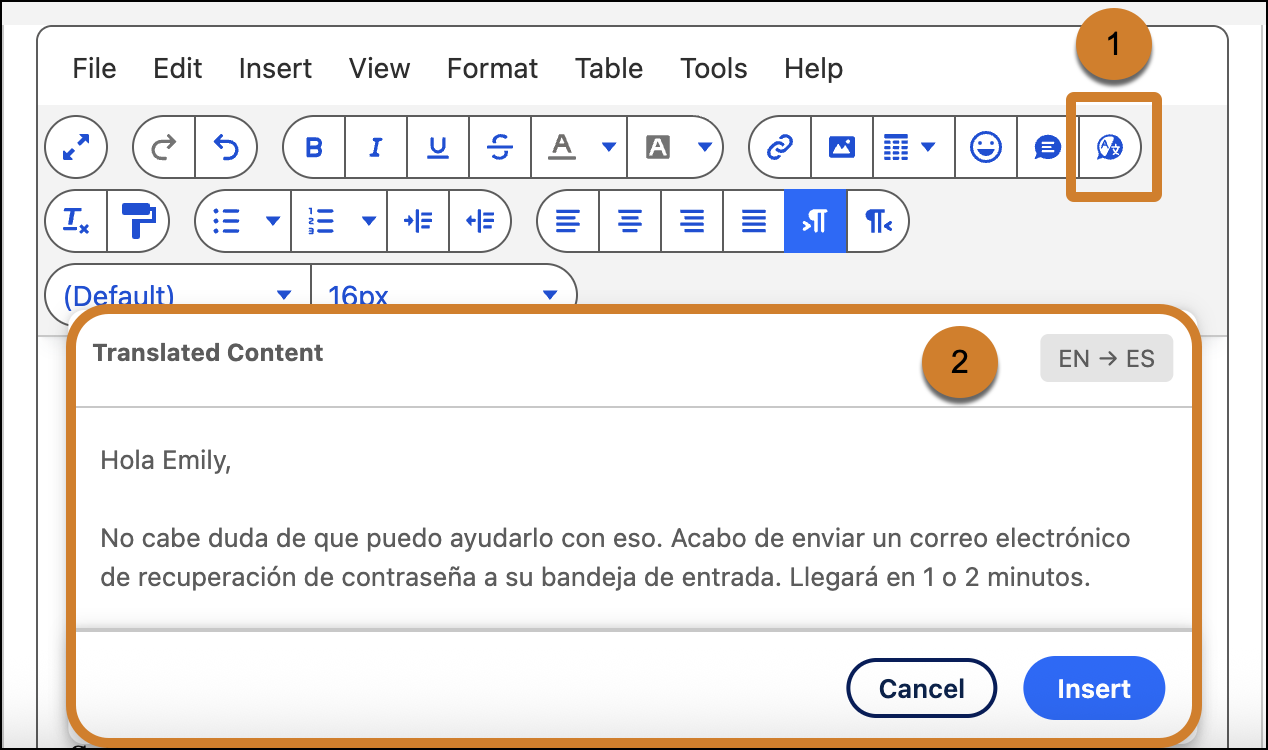
A Service rep can translate their response to a customer by writing it in the case composer, highlighting it, and clicking the Translate action (1). If the output looks good, they click Insert (2), and then send their text.