Influence product rankings in keyword search results and on category pages to align with your seasonal or inventory goals. Use expanded operators to influence a product's relevance score without overriding your search logic. Use boost and bury rules to promote specific items or deprioritize others while making sure that search results remain relevant for your customers.
Where: This change applies to B2C Commerce.
When: The boost and bury feature is available May 5, 2026.
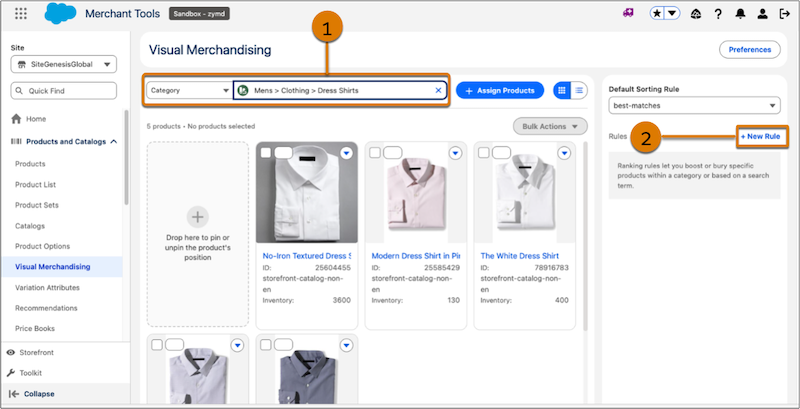
How: First, make the attributes that you want to target in boost or bury rules available as rule attributes in the visual merchandiser. To create a rule, in Business Manager, click App Launcher, and then select . Search for a category (1), and then click New Rule (2). If you don’t have the Visual Merchandising workspace, contact Salesforce Customer Support.