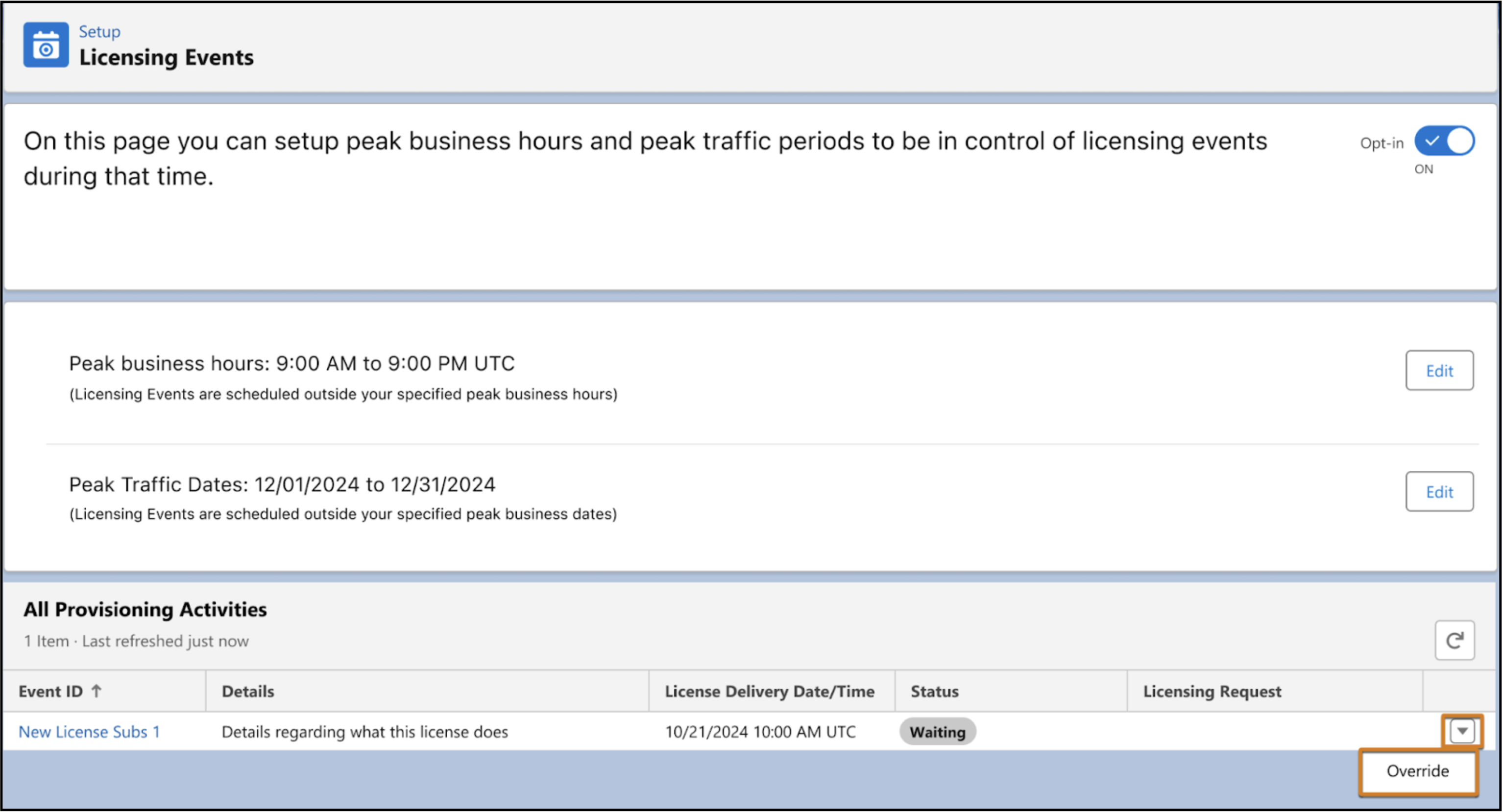
If a licensing request comes in during a blockout period, Salesforce notifies you and
you can override the blockout. For example, if you designate blockout hours from 9:00 AM to 5:00
PM, Salesforce downloads events during this time but doesn’t apply them until the blockout period
ends. If you want to apply an event at 2:00 PM, you can override the blockout period.
Required Editions
| Available in: Lightning Experience |
| Available in: Enterprise, Performance,
and Unlimited Editions |
For example, to view contracts, a user needs the Read permission on contracts. To assign a
given permission to a user, that user’s license (or licenses) must support the permission.
Multiple licenses can support a single permission.
-
Go to the Licensing Event Activity grid manually or by clicking the licensing request
notification found under the bell icon in the header.
-
Locate the event that you want to override. Click the dropdown menu at the end of the row,
and select Override.
-
From the confirmation dialog, click Override.