When you edit a template-based page, you can't modify its non-editable page elements.
You also can't reposition, resize, or delete editable page elements, or alter the events,
properties, or style associated with them. To update these elements or properties, you must
edit them in the template the page is based on.
Required Editions
| Available in: Salesforce Classic |
|
Available for purchase in: Enterprise, Performance,
and Unlimited Editions
Available (with limitations) in:
Developer Edition
|
| User
Permissions Needed |
| To build, edit, and manage Site.com sites: |
Site.com Publisher User field enabled on the
user detail page
AND
Site administrator or designer role
assigned at the site level
|
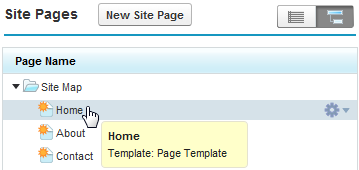
To identify which page template a site page is based on, hover over the site page in
the Sites Pages view on the Overview tab. An information popup appears that displays the
page template's name.
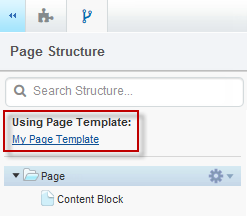
Examine the Page Structure pane when the page is open. The template's name is
displayed as a link that you can click to open the template.