
Set your user account to use the Tooling API Named Credential for authentication.
Required Editions
| Available in: all editions except Starter |
| User Permissions Needed | |
|---|---|
| To store authentication settings for a named credential: | The named credential enabled under Named Credential Access |
| To edit another user's authentication settings for external systems: | Manage Users |
-
In the upper right corner, access your personal settings.
- In Lightning, click your image.
- In Classic, click the down arrow next to your name, and select Setup.
- In the Quick Find box, enter Authentication, and then select Authentication Settings for External Systems.
- Click New.
-
Complete the fields.
- External System Definition: Named Credential
- Named Credential: Tooling API Credential
- User: Select your username.
- Authentication Protocol: OAuth 2.0
- Select Start Authentication Flow on Save
- Save your work.

Example
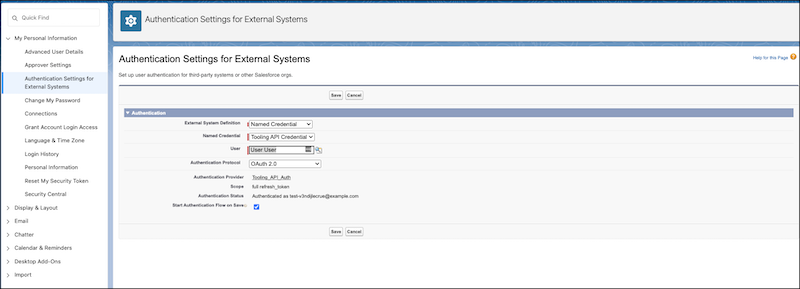
Example of Authentication Settings for External Systems