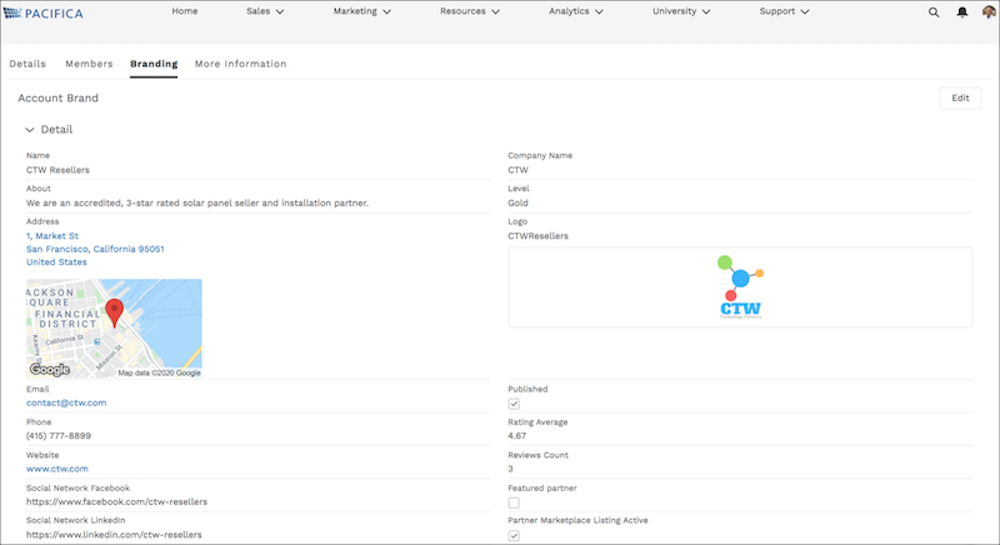
In addition to administrators and internal users, partner users with the Delegated
External User Administrator permission can update and access partner brand information. They can
also create co-branded emails, marketing campaigns, websites, and apps for channel sales from
information uploaded to the Branding tab.
Required Editions
| Available in: both Salesforce Classic and Lightning Experience |
| Available in: Enterprise, Performance, Unlimited, and
Developer Editions
|
| Admin Permissions
Needed |
| To manage external users: |
Manage External Users |
| To create, edit, and delete profiles: |
Manage Profiles and Permission Sets |
To allow partner users with the Delegated External User Administrator permission to
manage brands, add the Account Brand related list to the Accounts page
layout.
-
Select the icon of the account that you’re managing, and select Account
Management.
-
To access the Account Brand Detail page, select the Branding
tab.
-
To add account brand details, click New.
-
To update Account Brand details, click Edit.
-
To create co-branded emails or templates using information from the Account Brand page,
use the merge fields under Sender Brand. These merge fields pull information directly from
the Account Brand page. Users must have access to Account Brand to use the Account Brand
merge fields, otherwise the merge fields are unresolved.