
Salesforce Scheduler provides the objects required for appointment scheduling and an app that makes it easy to set up Salesforce Scheduler. It provides preconfigured, customizable flows and rules that provide appointment booking experience. It also provides business APIs to create appointment booking experiences.
Required Editions
| Available in: Lightning Experience. |
| Available in: Enterprise and Unlimited Editions |
Standard Salesforce Objects
Salesforce Scheduler provides access to a suite of standard objects that you can find in Setup and as tabs in Salesforce. These objects make up the core Salesforce Scheduler features, including appointments.

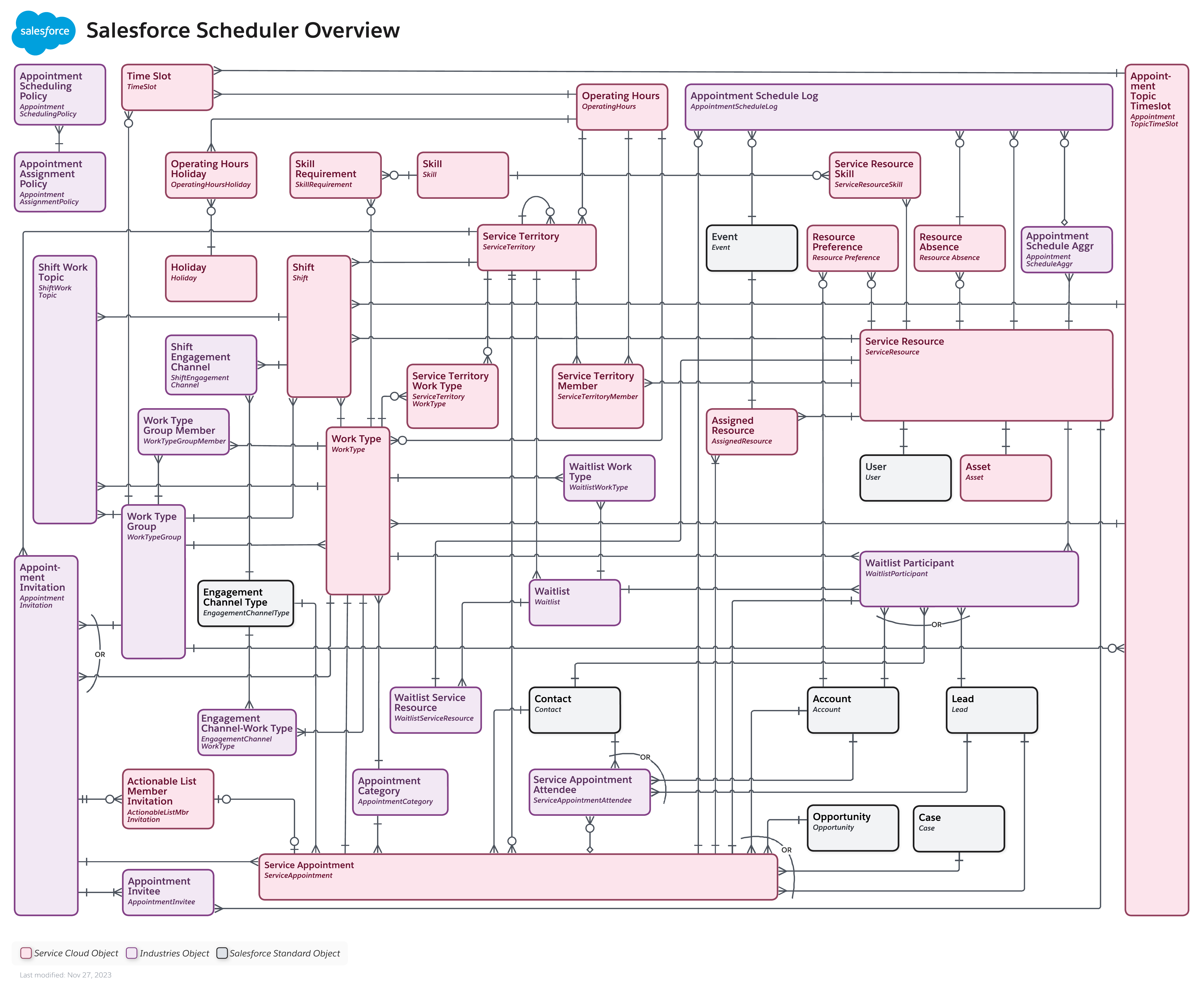
View the Salesforce Scheduler data model in the Salesforce Developer documentation.
The Salesforce Scheduler Setup App
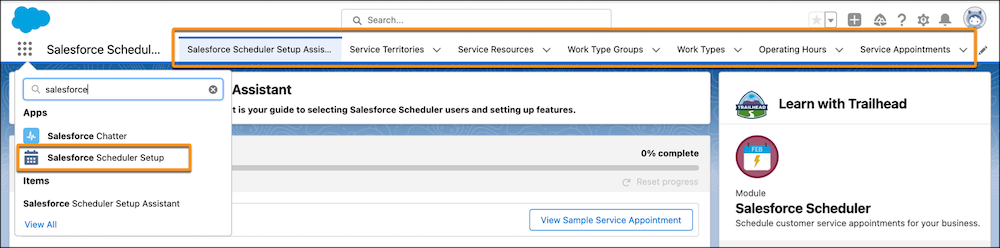
The Salesforce Scheduler Setup app provides the Salesforce Scheduler objects in one place (as object tabs) and makes it easier for administrators to create, configure, and manage object records. Assign the Salesforce Scheduler Setup app to an admin profile.
Appointment Flows
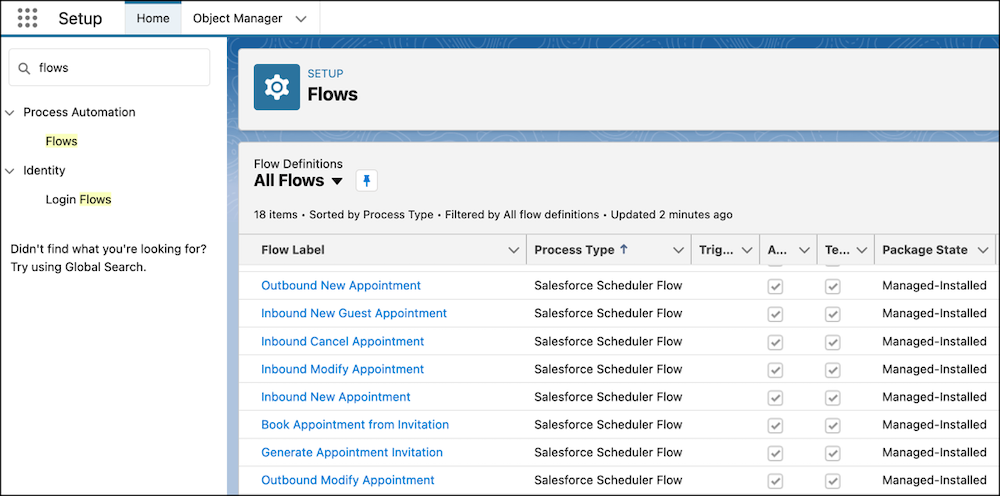
Salesforce Scheduler includes standard flows to provide appointment booking experiences. Use the provided flows directly, or clone and customize the flows according to your needs.
Default Appointment Scheduling Policy
Scheduling policies are sets of rules that help you find the best service resources (attendees) and timeslots for an appointment. Salesforce Scheduler provides the Default Appointment Scheduling Policy. You can edit the Default Appointment Scheduling Policy and select the rules that you want to enforce during appointment scheduling. You can also create and use custom scheduling policies.
Business APIs
Salesforce Scheduler provides business APIs to build appointment scheduling applications. These resources include REST APIs, Connect REST APIs, Salesforce Platform Events, and Apex classes.