
To identify the reasons for unavailable time slots while scheduling an appointment, retrieve the value in the params parameter from the getAppointmentSlots request API payload.
Required Editions
| Available in: Lightning Experience. |
| Available in: Enterprise and Unlimited Editions |
- While scheduling an outbound appointment, on the page previous to the Select Service Appointment Time page, in the browser context menu, click Inspect.
- In the Schedule Appointment dialog box, click Next.
- In the browser context, click Network, and the click Payload.
-
Copy the value in the params parameter.
Use this value as the API request in the Salesforce Scheduler Troubleshooter to identify reasons for missing time slots. For more information, see Identify Missing Time Slots.
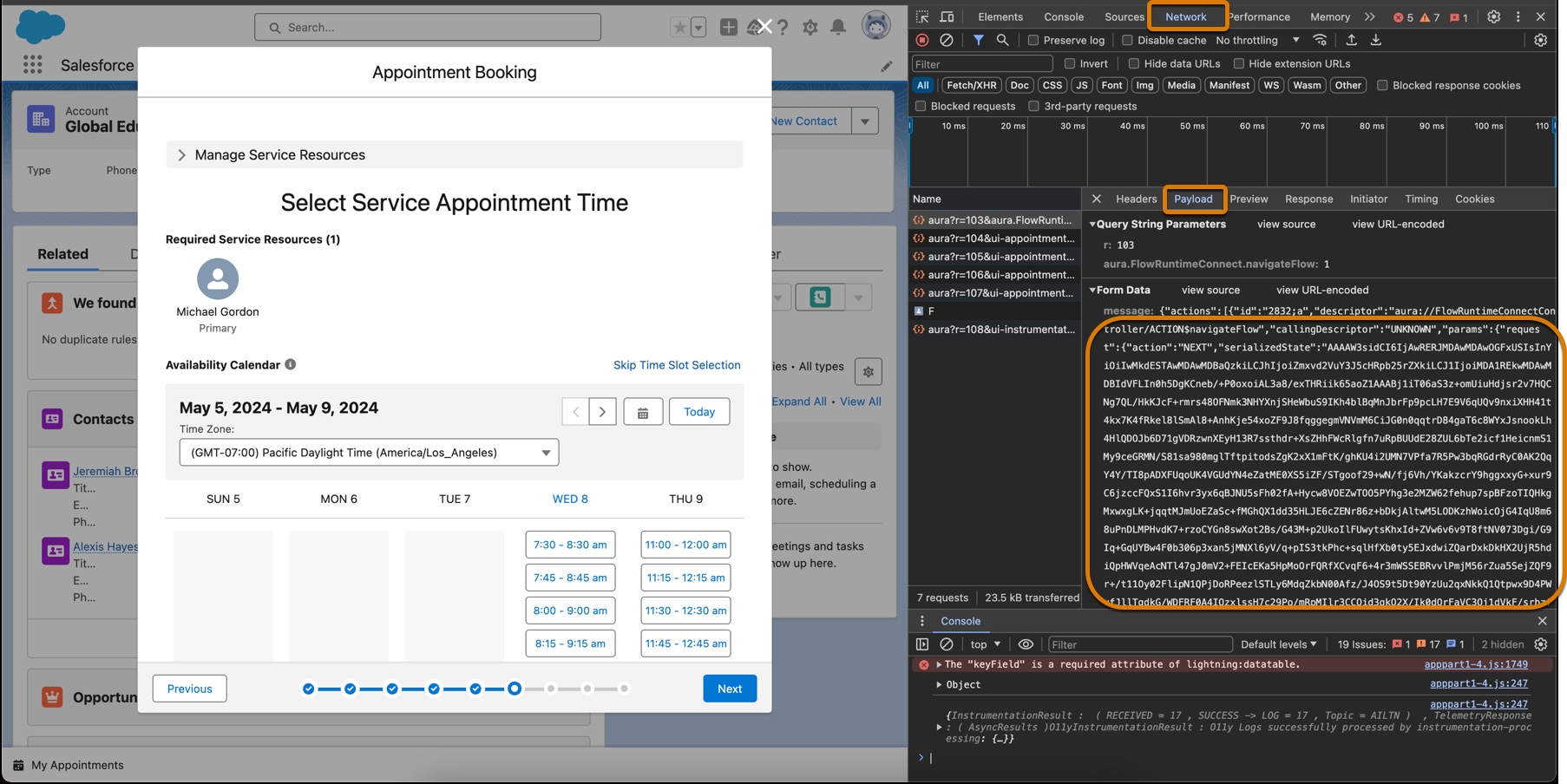

Example Sample payload for an API request.
{
  "parentRecordId":"001Z6000002G3srIAC",
  "workTypeGroupId":"0VSZ60000000001OAA",
  "workType":null,
  "requiredResourceIds":[
    "0HnZ60000000001KAA"
  ],
  "primaryResourceId":null,
  "territoryIds":[
    "0HhZ60000000001KAA"
  ],
  "startTime":"2023-11-08T10:49:11.986Z",
  "endTime":"2023-11-19T08:00:00.987Z",
  "allowConcurrentScheduling":true,
  "engagementChannelTypeIds":null
}