If the Event Management setting is enabled in your org, you must perform extra steps to make the Inbound Modify Appointment flow work.
Required Editions
| Available in: Lightning Experience. |
| Available in: Enterprise and Unlimited Editions |
-
Give your users edit permission on Account and Contact.
- From Setup, in the Quick Find box, enter Profiles, and then select Profiles.
- Click Edit next to the profile that you want to assign permissions to.
- Under Standard Object Permissions, select Edit for Account and Contact objects.
-
Give your partner users read and write access to partner account records. You can do that
in one of the following ways.
- Manually share account records with partner users.
- Create a sharing set to give read and write access to partner users
- Use a sharing rule on Account to share account records with partner users.
- In Sharing Settings, under Organization-Wide Defaults, for Activity, set default internal access to Controlled By Parent.
- For the Public field on the Event object, set the field-level security to Visible for partner user and admin profiles.
-
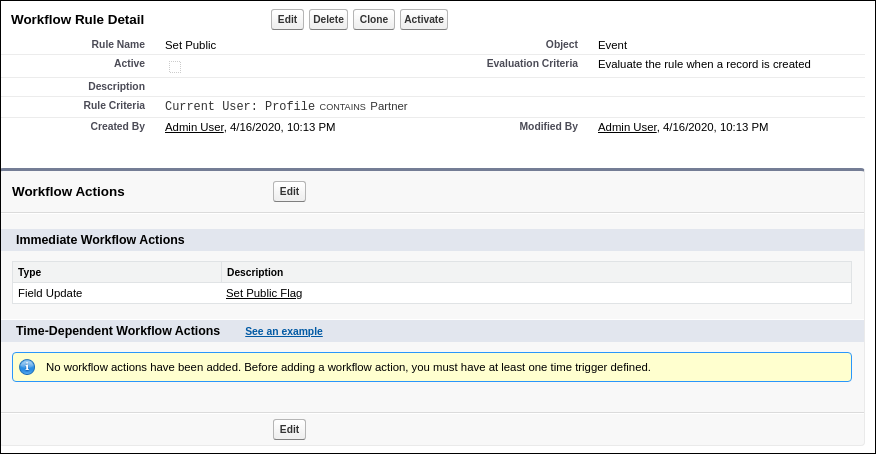
Create a workflow rule on the Event object to set 'Public' flag to true when partner users
create an event.