Remove applied overrides for standard buttons and links in Salesforce Classic, Lightning Experience, and the Salesforce mobile app.
Required Editions
| Available in: Salesforce Classic and Lightning Experience |
|
Available in: Enterprise, Performance, Unlimited, and Developer Editions Visualforce overrides also available in: Contact Manager, Group, and Professional Editions Record types available in: Professional, Enterprise, Performance, Unlimited, and Developer Editions |
| User Permissions Needed | |
|---|---|
| To override standard buttons and tab home pages: | Customize Application |
| To reset button and tab home page overrides: | Customize Application |
- From the management settings for the object whose button or link you want to edit, go to Buttons, Links, and Actions.
- Next to the standard button or link that has overrides applied, click Edit.
-
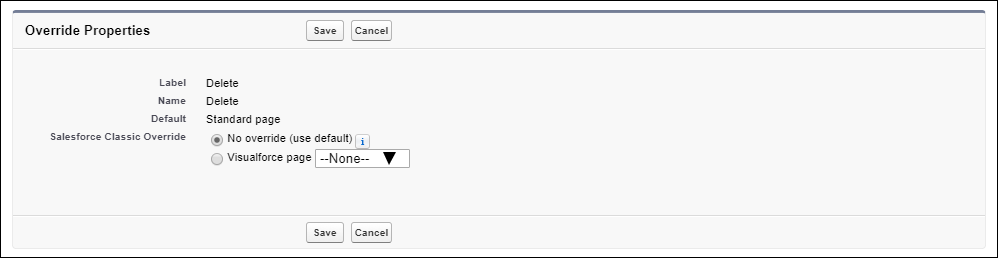
For the Salesforce Classic override, select No override (use
default).
For actions that are supported only in Salesforce Classic, you see these options.
-
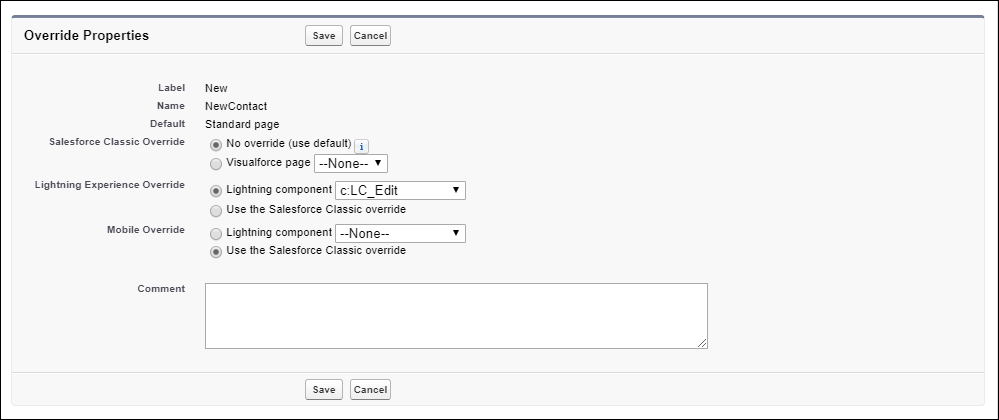
To also remove overrides for Lightning Experience or the Salesforce mobile app,
select Use the Salesforce Classic override.
For actions that are also supported in Lightning Experience and the Salesforce mobile app, you see these options.
- Save your changes.