
The Lightning App Builder supports custom Lightning components that you create either with Aura or Lightning web components (LWC).
Required Editions
| Lightning App Builder available in: both Salesforce Classic and Lightning Experience |
| Lightning Home and utility bar pages available in: Lightning Experience |
| Lightning app and record pages available in: both the Salesforce mobile app and Lightning Experience |
| Email application pane pages available in: both Salesforce Classic and Lightning Experience |
|
Available in: Group, Essentials, Professional, Enterprise, Performance, Unlimited, and Developer Editions |
Custom components in your org that are configured for use in the Lightning App Builder appear in the Lightning Components pane.
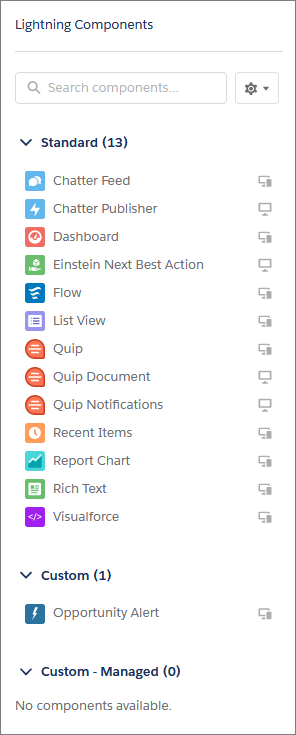
If you have a page to be used in the Salesforce mobile app, use only Lightning components that the mobile app supports.
Your custom Lightning components don’t automatically work on Lightning pages or in the Lightning App Builder. To make a custom component usable in both, configure the component and its component bundle so that they’re compatible with the Lightning App Builder and Lightning pages.
For Aura components, see the Lightning Aura Components Developer Guide. For Lightning web components (LWC), see the Lightning Web Components Developer Guide.

You can configure custom components to support different devices. For instance, you have a record page whose template supports both phone and desktop, and you activate the page for both. Then you add a phone-only component to the page. When the page is viewed on a phone, users see the component. When the page is viewed on a desktop, the phone-only component doesn’t appear.