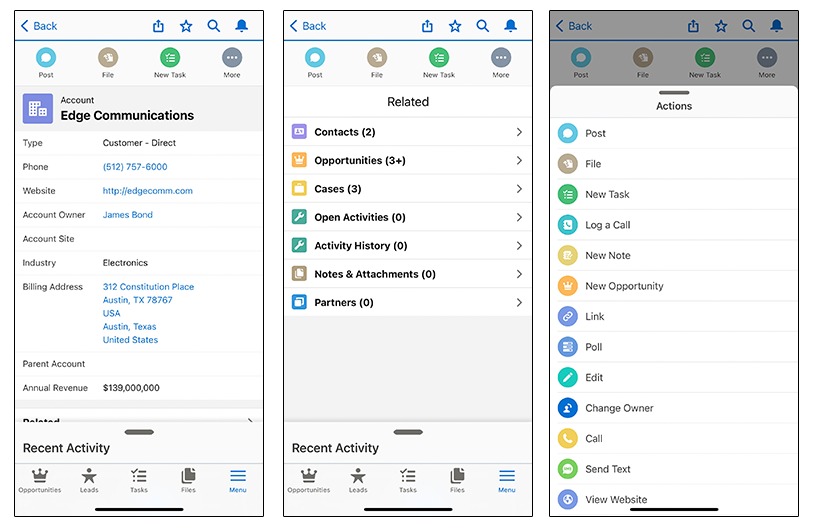
Use the enhanced page layout editor to customize
the layout of an object’s record detail pages, configure actions, and adjust which
fields and related lists appear in the Salesforce mobile app.
Required Editions
| Available in: both Salesforce Classic and Lightning
Experience |
| Available in: All editions except Database.com |
In the Salesforce mobile app, page layouts drive these
areas of the mobile experience.
- Record Related Information and Detail Pages—When you view a record in the
mobile app, you see the fields, Visualforce pages, and related lists that are based
on the record type and the user’s profile. Related lists show up as single-line
cards containing the name of the page or related list. Tapping the related list card
displays its details.
- Actions—Actions in the Salesforce Mobile and Lightning Experience Actions
section of a page layout appear in the action bar and action menu on the object’s
record pages.