With an expression, you can pass a value, such as a record ID or an API name, to the
target item. Then when the event fires, the target item can use that value. Using an
expression to define a property value makes the event interaction dynamic. We can
illustrate this with an example of an app page with custom Account List and Account
Location components. Here, an admin is configuring an interaction between the
Account List source component and the Account Location target component.
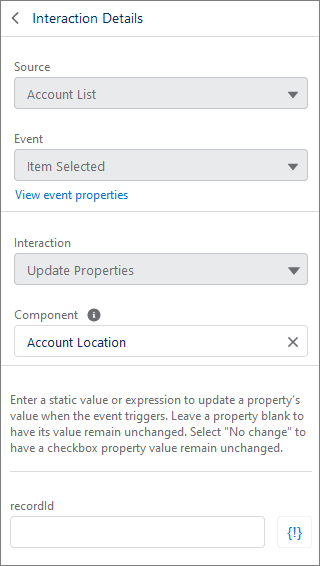
The goal for the interaction in this example is that when a user clicks an account in
the list, the Account Location component updates to show the selected account’s
location as a point on a map. But the Account Location component needs to know the
record ID of the selected account to do that. Passing the record ID into the Account
Location component tells the component which record to look at to pull the address
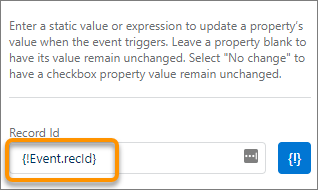
information. In this case, the developer made the recId property available as part of the event, so the target value can
be set to the active list item’s record ID using the {!Event.recId} expression.
Why not enter a 15- or 18-digit record ID into the field? If you do, any item clicked
in the Account List always resolves to that one record ID, which isn’t dynamic and
is incorrect.
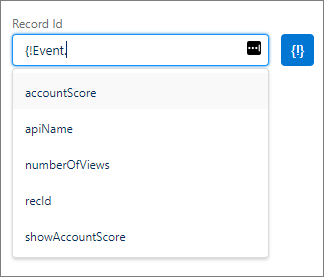
If the developer makes more than one target property available, you can set the
property to be passed in by starting to type the expression in the field. After the
period, you can use autocomplete to select which property to use in the expression.
But don’t forget to add the ending bracket }
after you make your selection.