
When you open a project for the first time, it's likely to contain several work items that your release manager created when configuring DevOps Center. You and other team members can create additional work items as the project progresses.
- From the Projects page, click the name of the project you’re working on.
The project opens to its All Work Items page. Look for any work items assigned to you.
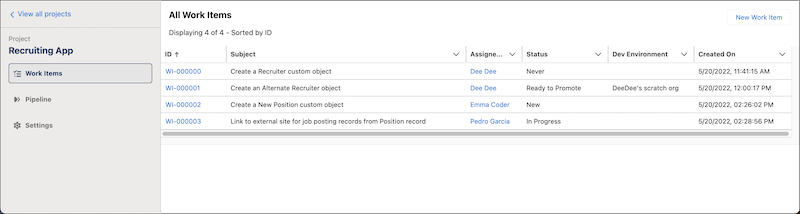
- Click the work item ID to open it.
- If you’re currently logged in to the source control system, DevOps Center opens the work item.
- If you’re not currently logged in to the source control system, log in and authorize access to DevOps Center.
If the authorization is successful, you’re returned to the work item. DevOps Center can make changes on your behalf in the source control repository. - Select how you’re going to work.