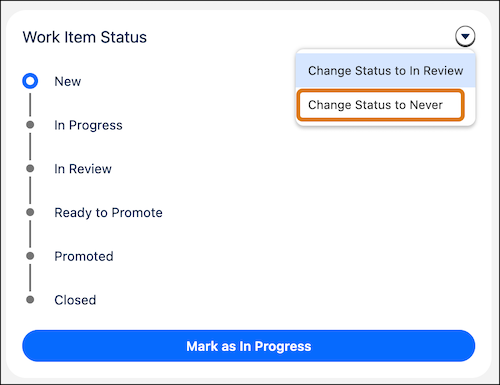
Use the Never status when plans change, when you need to start over, or when a change conflicts with another work item’s promotion.
Setting the status to Never makes the work item inactive and returns the committed component files and configuration data to the list of available changes. You can then recommit these changes to a different work item.
- Change a work item's status to Never before it’s promoted to a pipeline stage.
- Changing the status to Never is irreversible.
From the work item menu, select Change Status to Never, then click Confirm.