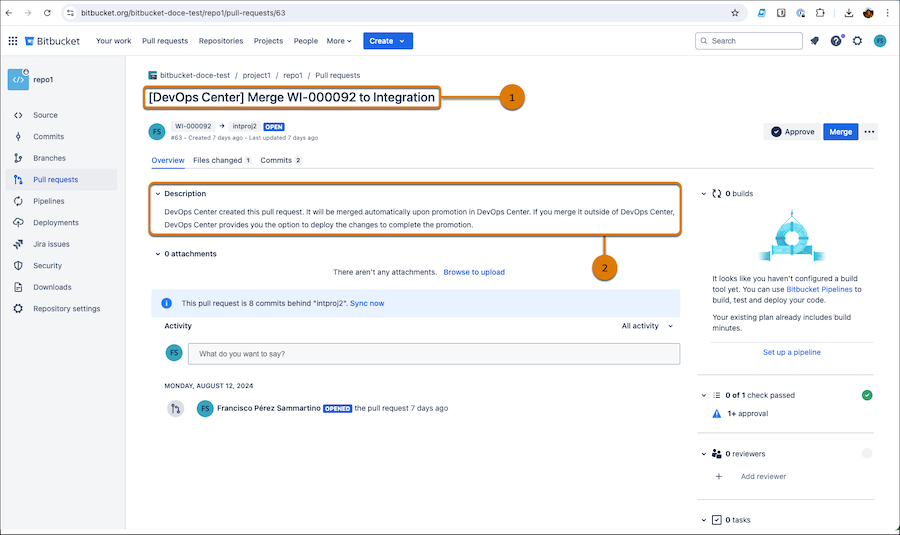
Create a change request (pull request) so that a team member can review and approve your changes.

Note DevOps Center Bitbucket Cloud support is a pilot or beta service that is
subject to the Beta Services Terms at
Agreements - Salesforce.com or a written Unified Pilot Agreement if executed by
Customer, and applicable terms in the Product Terms Directory. Use of this pilot or beta
service is at the Customer's sole discretion.
If you plan to perform most of your
development work outside of DevOps Center, you can create the change (pull) request directly in
the source control system. Be sure to select the pipeline stage’s branch as the base branch
instead of main.
- From the work item, click Create Review to move the work item to In
Review.
DevOps Center creates a change request and automatically opens a pull request for the changes in your work item branch.
- (Optional) Click View Change Request to open a browser tab showing the pull request in the source control repository, where reviewers can see the file changes.
- Team members can add comments and have discussion in the pull request about the changes.
- Go back to DevOps Center.
What you do next depends on whether you merged the pull request in Bitbucket.
- If you didn’t merge the pull request, indicate that the work item is ready to promote.
- If you merged the pull request, the work item status is updated to Ready to Promote. The next step is to complete the promotion in DevOps Center or using Salesforce CLI.