
A key benefit of DevOps Center is that we track changes for you. However, for those times when you require flexibility to include more metadata than what was pulled automatically, you can select and commit additional metadata source files, not just the ones that DevOps Center determines have changed.
Some use cases include:
- Source tracking fails to identify that a file has changed.
- Your development environment is shared, and another teammate has already committed a file that you want to also include in your work item commit. If the component hasn’t changed since the other teammate committed it, it doesn’t appear in your changes list automatically.
- You want to commit files that were changed before source tracking was enabled in the development environment.
If you manually add a component that’s already in the Changes list, the Operation type continues to reflect the original Operation type (CHANGE or ADD).
- On the Work Item Changes tab, click Add Components Manually.
- Select a component type from the list.
- (Optional) Narrow the results by entering alphanumeric characters in the file name field, or selecting who last modified the component from the menu.
- Select which components to add.
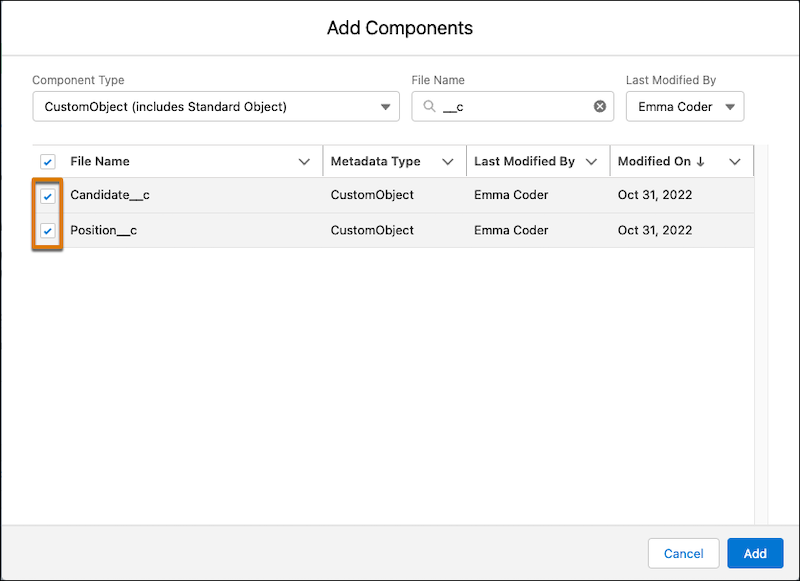
- Click Add.
After it’s added, the component appears in the Changes list with an Operation type of MANUAL.