
At a minimum, projects require a release environment (often your production org) and one developer environment. Be sure all team members are users in this environment if they require access to it to perform deployments to it from within DevOps Center.
- On the All Projects page, under Release Environment, click Click to Create Pipeline.
- In the Pipeline Environments page, find the Production stage, then click Connect Environment.
- Provide a unique name for the production environment and indicate the environment
type.
By default, DevOps Center populates this field with the project name + Production. Environment names must be unique across projects.
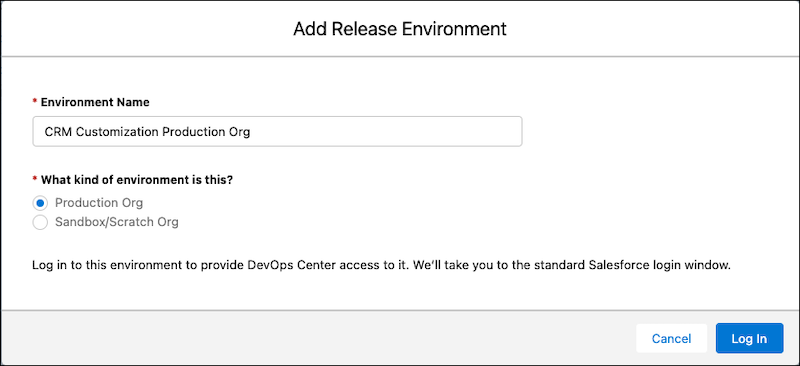
- Click Log In.
- Log in to the environment.
- To allow this environment to connect to DevOps Center, click
Confirm.
DevOps Center uses an OAuth process to remember your credentials. The release environment URL is now listed on the Projects page. Now define the development environments for this project.