
DevOps Center provides a comprehensive history of all key pipeline events, including promotions, synchronizations, and errors (failures). You can use these events and their associated details for auditing, troubleshooting, and general visibility purposes.
Activity histories can get long, so we give you the ability to narrow the list (1).
- To filter on User, Activity Type, and Date Range, use the filter.
- Use the Search Activities box to search using keywords.
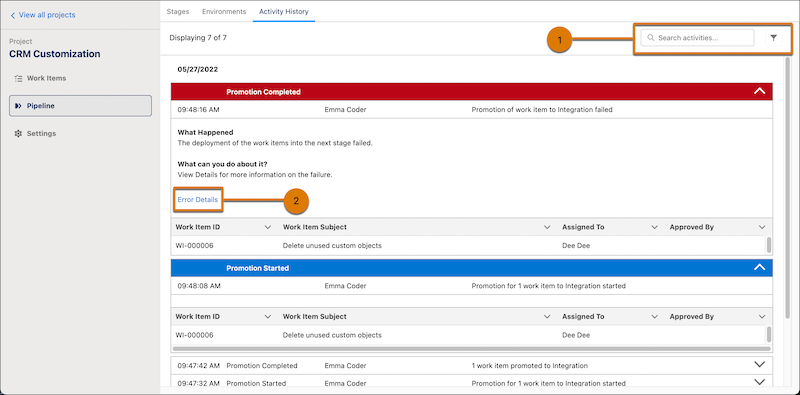
For promotion errors, click Error Details (2) to get more information to assist you in pinpointing and resolving the issue.