
The Developer Console includes a collection of useful tools for coding, debugging, and testing applications.
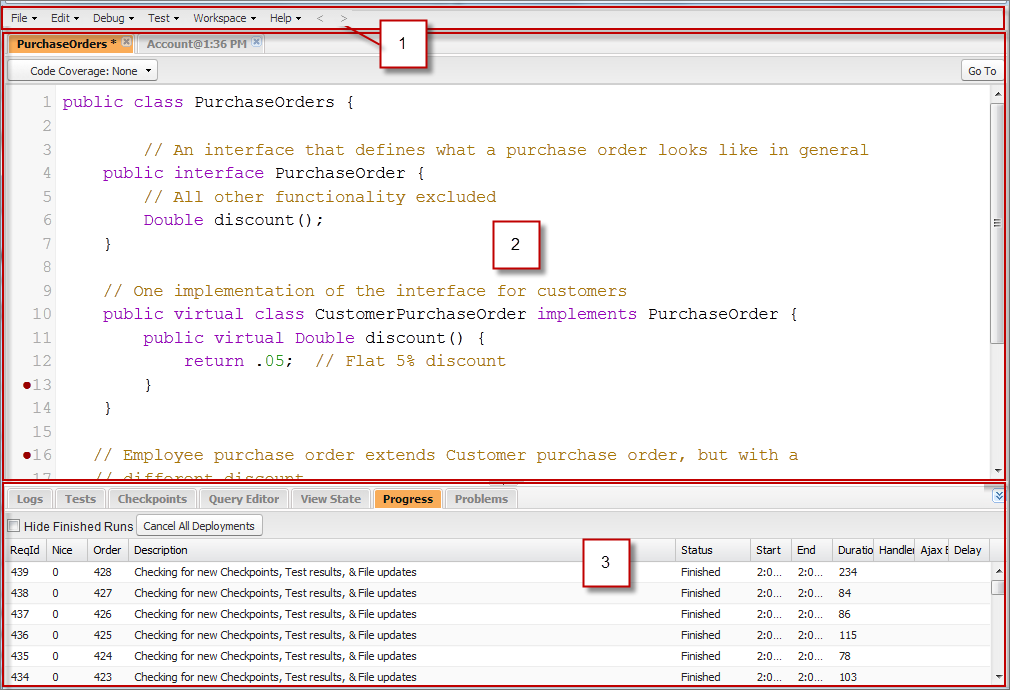
The Developer Console is organized into these sections:
- Menubar
- Workspace with a tab for each open item
- Logs, Tests, and Problems panel

Tip To see a list of Developer Console keyboard shortcuts, click or press CTRL+SHIFT+?.
- Developer Console User Interface: Menu Bar
The menu bar contains menus that give you access to most of the important functionality. - Developer Console User Interface: Workspace
A workspace is a collection of resources represented by tabs in the main panel of the Developer Console. The detail view or editor shown in each tab is determined by the type of resource open in the tab. For example, source code opens in the Source Code Editor, logs open in the Log Inspector, and so on. - Developer Console User Interface: Logs, Tests, and Problems Panel
The lower panel in the Developer Console includes a collection of useful tabs. - Developer Console Command Line Reference
The Developer Console includes a command line for various useful commands.