
Quickly find standard and custom invocable actions used in Flow Builder. Agentforce Builder, and Prompt Builder by using the Action Hub tab in the Automation Lightning app. Search the list of actions or filter them by action type, and then select an action to review its details and identify where it’s used.
Required Editions
| Available in: Lightning Experience |
| View supported editions. |

Note This feature is a pilot or beta service that is subject to the
Beta Services Terms at Agreements - Salesforce.com or a
written Unified Pilot Agreement if executed by Customer, and applicable terms in the Product Terms Directory. Use of this pilot or beta service is at the Customer's sole
discretion.
To access the Automation Lightning app, select the process automation setting Enable the Automation Lightning App
Search and Filter Invocable Actions
-
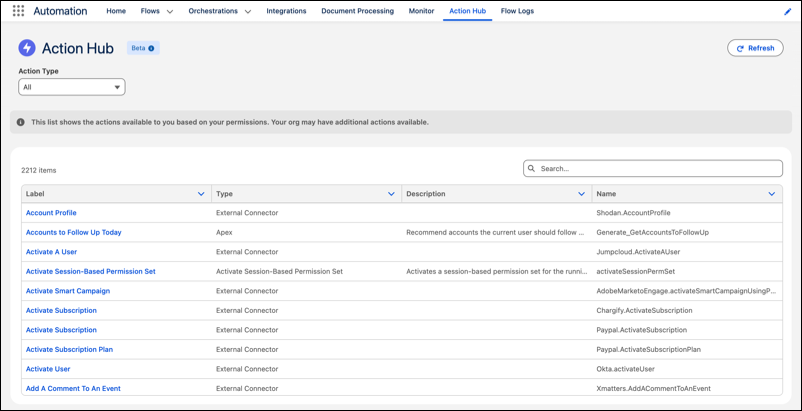
In the Automation Lightning app, select the Action Hub tab.
The list view shows available actions based on your permissions.
-
To filter the list by action type, select an action type from the Action Type dropdown.
You can also search for an action.
View Action Details
To view action information, activate at least one action.
- In the Automation Lightning app, select the Action Hub tab.
- Click a hyperlinked action name.
-
View details of the active action.
The detail page includes the action's label, type, execution metrics in the last 14 days, REST API endpoint, and description, along with related list that shows where the action is used.
-
To view the action usage, click the Usage tab.
The Usage tab shows action usage and indicates whether the action is used in Flow Builder, Agentforce Builder, and Prompt Builder.
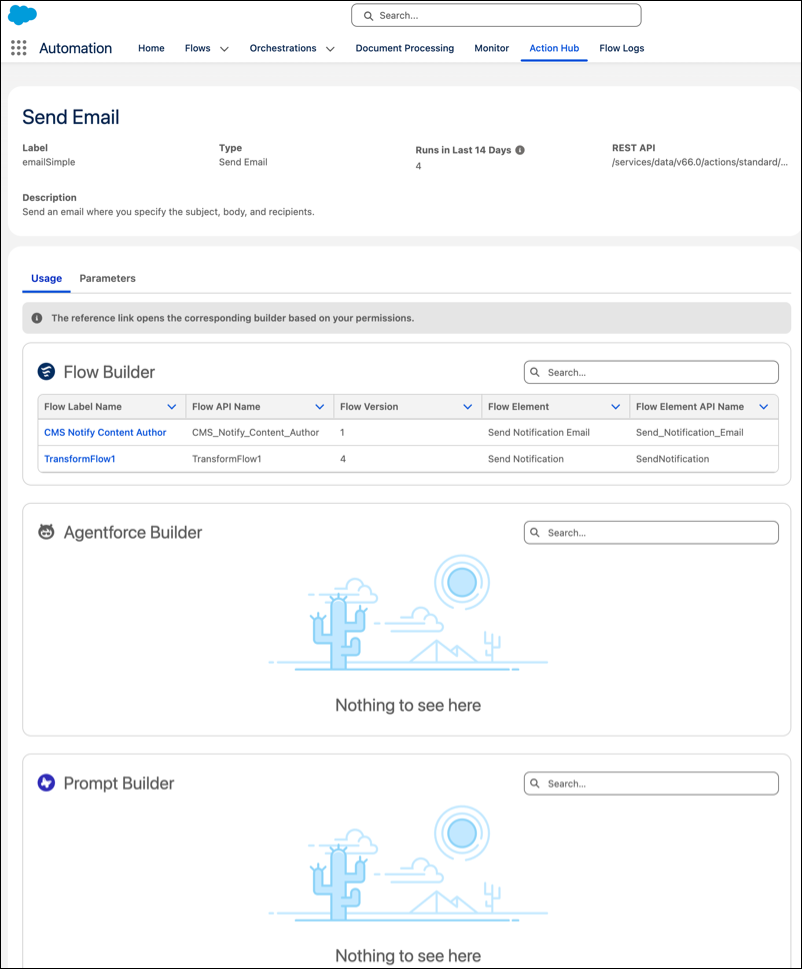
- To open the referenced item directly in its builder interface, click the hyperlinked name under Flow Builder, Agentforce Builder, or Prompt Builder.
- To view the Input and Output parameters, click the Parameters tab.