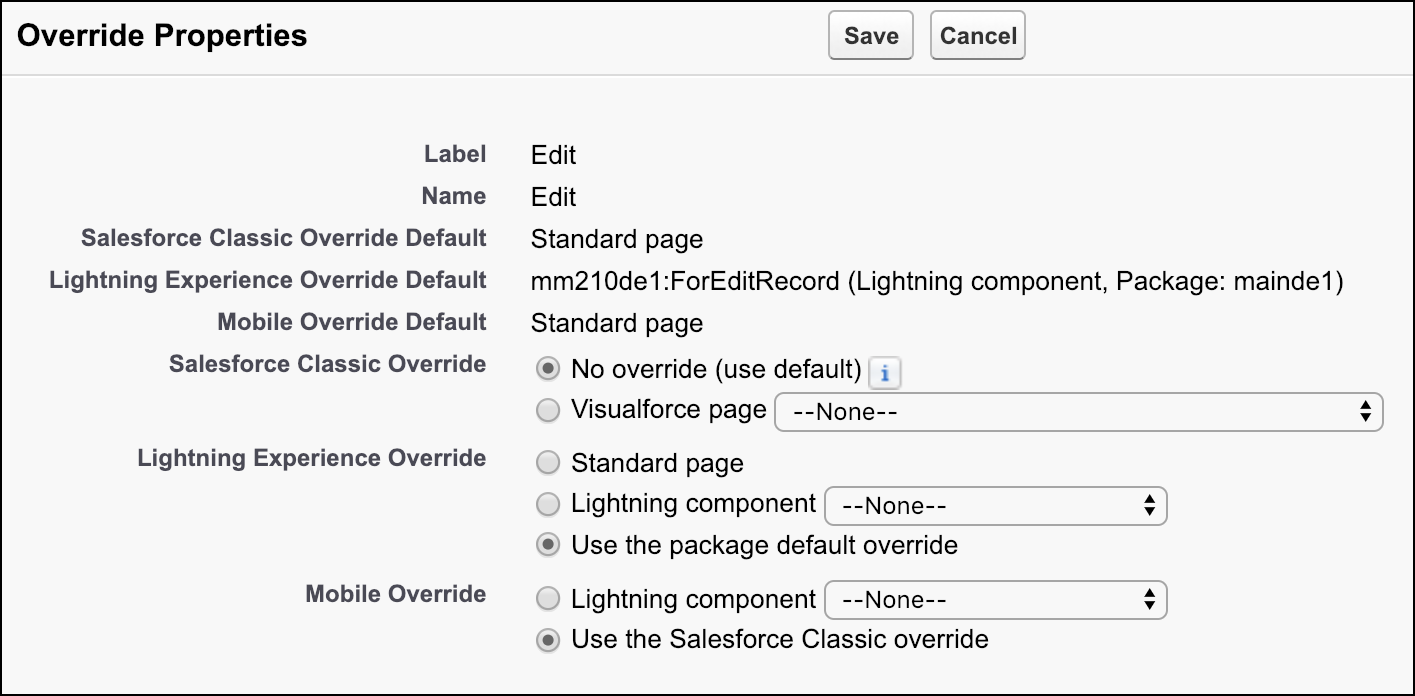
In a managed package, overrides specified by the package developer are included as default overrides. The package subscriber can specify local overrides for each user experience to use instead of the package default overrides. Package default overrides impact the options and behaviors of local overrides.
Required Editions
| Available in: Salesforce Classic and Lightning Experience |
|
Available in: Enterprise, Performance, Unlimited, and Developer Editions Visualforce overrides also available in: Contact Manager, Group, and Professional Editions Record types available in: Professional, Enterprise, Performance, Unlimited, and Developer Editions |
| User Permissions Needed | |
|---|---|
| To override standard buttons: | Customize Application |
Several rules determine local override behaviors in a managed package.
- For each user experience—When a package subscriber specifies a local override, the local override takes precedence over the package default override. If no local override is specified for a user experience, the package default override for that user experience is used.
- For Lightning Experience and the Salesforce mobile app—If no local override is specified and no package default override is specified, the local override inherits from Salesforce Classic. Either the Salesforce Classic local override (if it’s specified) is used, or the Salesforce Classic package default override (if no Salesforce Classic local override is specified) is used.
- A package developer can remove or replace the default overrides when updating a managed package. The new default overrides are available for package subscribers when they install the updated package.

The Override Properties panel for a managed package identifies the override defaults and the local override options for each user experience. The available local override options vary based on the override defaults.
- No override (use default)—Uses either the override default Visualforce page or the Salesforce standard page if no Visualforce page is specified.
- Standard page—Available for package subscribers only if the package default override for the given user experience is a Visualforce page or Lightning component.
- Lightning component—The specified component takes precedence over the package default override for the given user experience.
- Use the package default override—Available for package subscribers only if the package default override for the given user experience is a Lightning component.
- Use the Salesforce Classic override—Available for package subscribers only if the package default override for the given user experience is the Salesforce standard page. Option inherits from the local Salesforce Classic override.