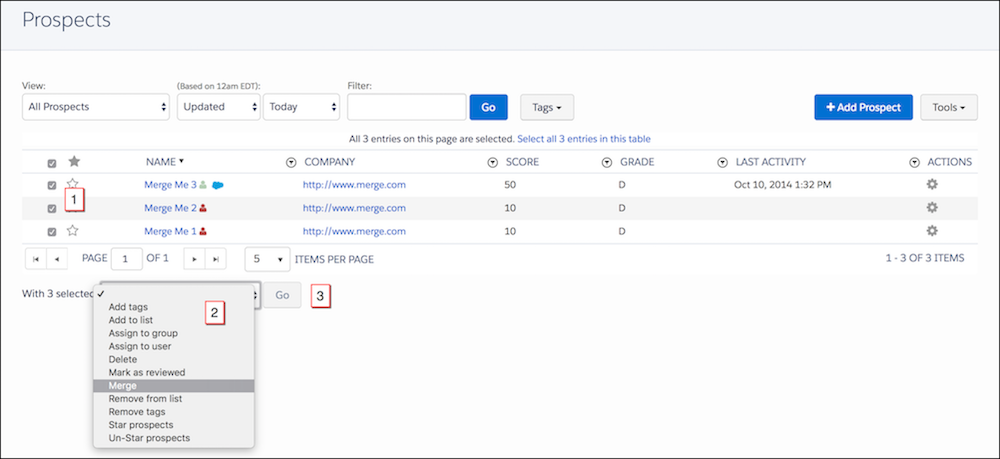
Duplicate prospects sometimes end up in your database. You can merge up to three
prospects at once and select one to be the primary. When merged, the activities of the merged
prospects are aggregated, and Account Engagement recalculates the primary prospect’s score.
Non-primary prospects are permanently deleted and don’t go to the recycle bin.
Required Editions
| Available in: All Account
Engagement Editions |
| User Permissions Needed |
| To merge prospects not assigned to yourself: |
Account Engagement Administrator,
Marketing, or Sales Manager role
|
| To merge prospects assigned to yourself: |
Account Engagement Sales role or higher
|
-
Open the Prospects page.
-
Select the prospects you want to merge (1).
-
From the dropdown, select Merge (2), and click
Go (3).
-
Select a primary prospect by choosing an email field.
-
Select field values for the primary prospect.
-
Merge the prospects.