As of Winter ’22, Account Engagement Lightning App users can choose which experience
to use when creating landing pages. The enhanced landing page experience uses a
drag-and-drop editor and can be accessed from Account Engagement Lightning App only. It’s
built on Salesforce, and supports list views, actions, reporting, and other functionality
that comes with Salesforce Lightning Experience.
Required Editions
| Available in: All Account
Engagement Editions |
Looking for a PDF of this content? Check out the Enhanced
Landing Page Experience Implementation Guide (PDF).
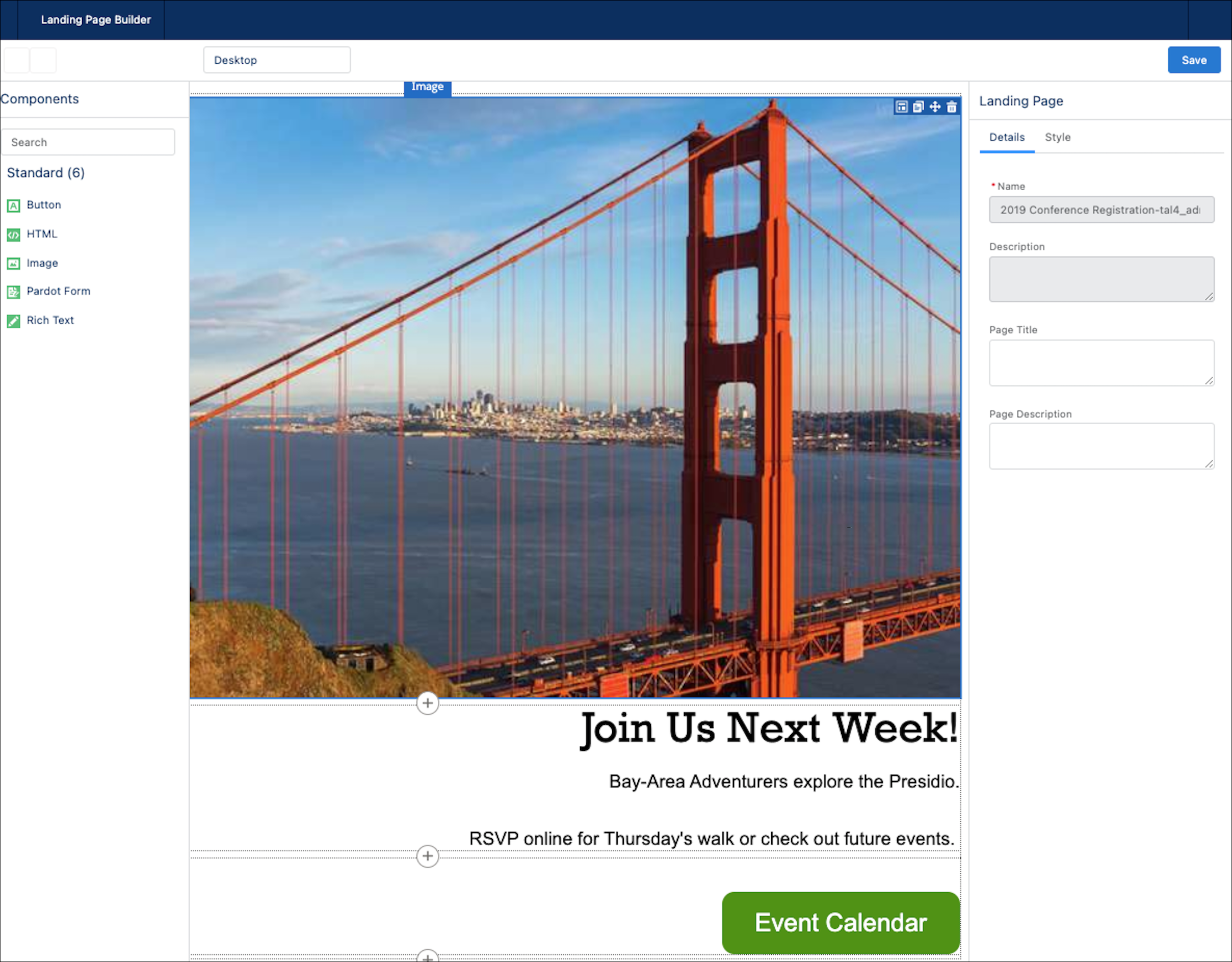
To use the enhanced landing page experience, click the Landing
Pages tab. Create or open a landing page record, and click
Edit in Builder. Landing pages created in the enhanced
experience are called enhanced landing pages.
- Considerations for the Enhanced Landing Page Experience
Keep these considerations in mind before you work with the enhanced landing page experience.
- Enhanced Landing Page Experience Permissions
Various permissions are necessary to set up, create, and publish landing pages in the enhanced landing page experience.
- Set Up the Enhanced Landing Page Experience
The enhanced landing page experience is automatically enabled at the same time as the enhanced email experience. If you’ve already set up one of these features in Account Engagement, no other setup is needed.
- Create an Enhanced Landing Page
When you create an enhanced landing page, you associate it with a campaign and then edit the content. Drag in templates from the Layout section to quickly insert rows and columns. Then you can add these component types: Image, Pardot Form, Rich Text, Button, and HTML.
- Edit an Enhanced Landing Page
You can edit a published landing page at any time. Two parts of a landing page are editable: record details and content.
- Publish an Enhanced Landing Page
When you finish designing an enhanced landing page, you can publish it to the web. Before publishing, add settings such as vanity URL, unpublish redirect URL, and search engine indexing on the landing page record.
- Enhanced Landing Page Record Fields
Enhanced landing pages in Account Engagement include a variety of fields that contain content, redirect instructions, and other helpful information. Sections include Information, Engagement Metrics, Publication Information, System Information, and Content and Settings tabs.

