After you’ve created a form handler, integrate it with an external form to track
submissions in Account Engagement.
Required Editions
| User Permissions Needed |
| To view form handler code: |
Account Engagement Administrator or Marketing
role
|
-
Open the Form Handlers page.
- In Account Engagement, select .
- In the Lightning app, select Content and then select
Form Handlers.
-
Open the form handler you want to edit.
-
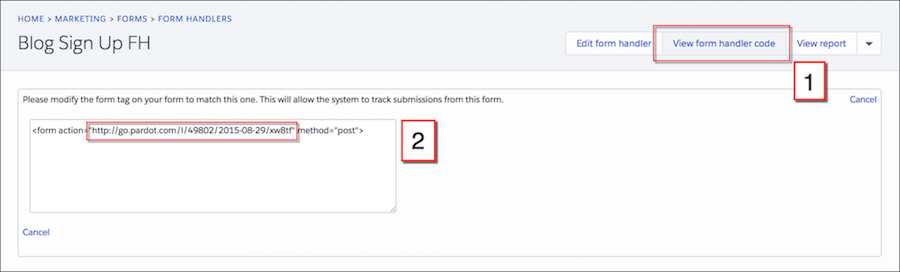
Click View form handler code (1), and copy the URL (2).
-
In your form’s code, change the post URL to your form handler URL.