Remind prospects of recurring events, renewals, and other activities with repeating
engagement programs. Allowing prospects to enter a program more than one time simplifies your
workflow and saves you the time of rebuilding duplicate programs.
Required Editions
| Available in: All Account
Engagement Editions |
All the standard considerations for using engagement programs apply to programs that are
repeatable. Here are a few additional considerations for working with repeating programs:
- You can have up to 10 scheduled and active repeating programs at a time.
- After you start a repeatable program, you can’t change it back to a one-time program.
However, you can edit the re-entry settings.
- Prospects repeating a program an excessive number of times can cause performance issues.
To help avoid excessive repeats, you can limit how many times a prospect is eligible to
enter a program.
- For programs with limited entries, the start and end steps show you how many prospects
completed the program and are eligible to reenter.
- The tooltips show the total number of prospects who completed steps and doesn’t account
for repeat prospects. For example, if 5 prospects enter a program twice, the number would
be 10.
- When you edit re-entry settings for an active program, the new settings apply to
prospects currently in the program. For example, if you decrease the max entry limit,
prospects on the end step who meet the new limit aren’t eligible to reenter.
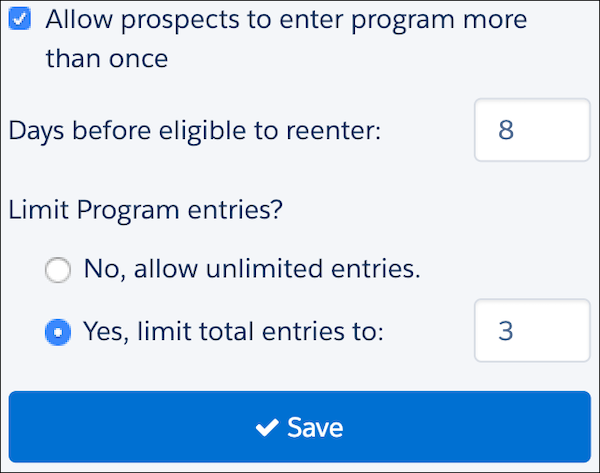
To make a program repeatable, select Allow prospects to enter a program
more than once when you create or edit a program. Use only whole numbers for the
days before eligible to reenter setting, and if you limit total program entries.