
After an admin sets up the account tier field to work with Account Engagement automations, you can use it as a filter for automation rules, dynamic lists, and in Engagement Studio.
Required Editions
| Available in: Account Engagement Advanced and Premium Editions with Salesforce Enterprise, Performance, or Unlimited Edition |
| User Permissions Needed | |
|---|---|
| To select a custom field in automation rules and segmentation lists: |
Account Engagement Administrator or Marketing role OR CRM User, Sales User, or Services User with Marketing User selected in User Details |
- Create or edit an automation rule or segmentation rule.
- To add a rule, click +.
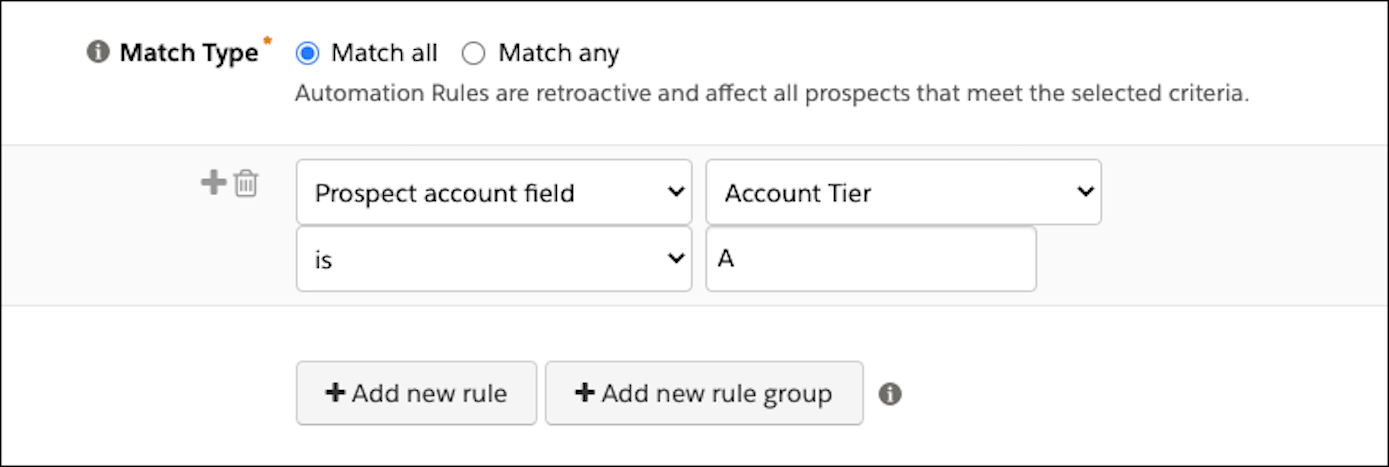
- In the first dropdown menu, select Prospect account field.
-
In the second dropdown, select Account Tier.
-
Select an operator and enter a value of A, B, C, or D.
Enter multiple values separated by commas.

Tip To use the field in Engagement Studio, create a dynamic list that includes the
account tier segmentation rule. Then, add a rule step in Engagement Studio and select the
dynamic list that you created.