You can mass delete incorrectly imported, hard-bounced, unengaged, or duplicate
prospects using a list.
Required Editions
| User Permissions Needed |
| To create and view lists: |
Account Engagement Administrator or Marketing
role
|
-
Navigate to a list that contains only the prospects you want to remove.
-
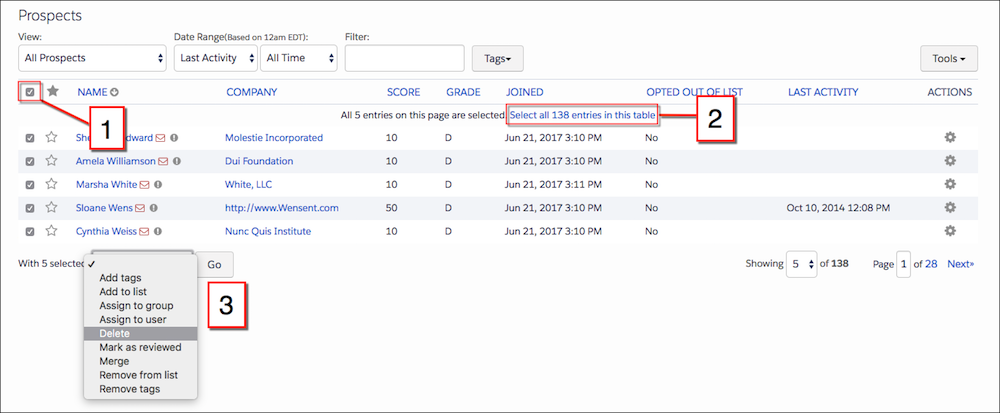
Select the box next to the Name column (1).
-
To select all prospects in the list, click the Select all [x] entries in this
table link (2).
-
From the dropdown after the table, select Delete, and then click
Go (3).