
If you make a mistake during setup or have new business needs, you can change the configuration of your B2B Marketing Analytics app at any time.
Required Editions
| Available in: Account Engagement Plus, Advanced, and Premium Editions with Salesforce Enterprise Edition or higher |
| Available for an extra cost in legacy Account Engagement Pro and Ultimate Editions with Salesforce Enterprise Edition or higher |
| User Permissions Needed | |
|---|---|
| To reconfigure B2B Marketing Analytics: | Manage CRM Analytics Templated Apps AND Create B2B Marketing Analytics Apps OR B2B Marketing Analytics permission set |

Important This process overwrites custom dashboards. Before you reconfigure, back up your app and save any dataset IDs.
- Open your B2B Marketing Analytics app in Analytics Studio.
-
Click Reconfigure app.
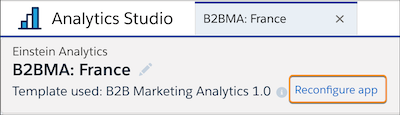
To migrate customizations, move dashboards, datasets, and saved lenses into My Shared App or My Private App. Next, upgrade the app and edit the existing queries to reference the new dataset IDs. Confirm that important assets and customizations are available in the new app.
- Work through the setup questions.
- Click Done.
Check the update status at Settings | Data Manager | Dataflow View in Analytics Studio.