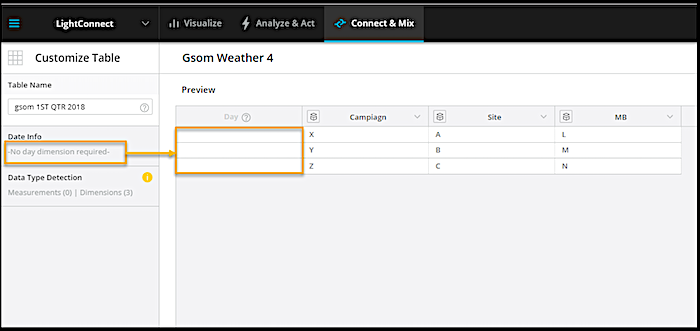
A LiteConnect data stream has two date columns. The date changes according to the source data.
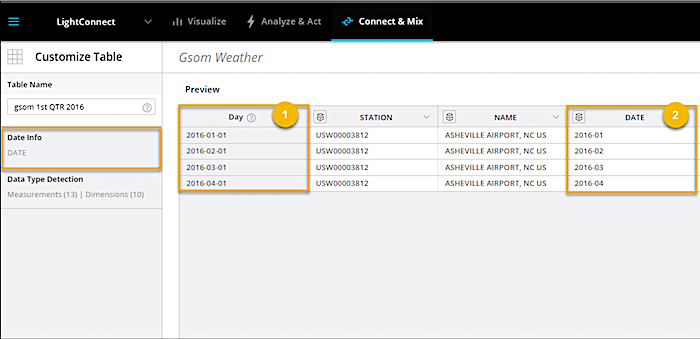
The DAY column (1) contains the date value as interpreted by Marketing Cloud Intelligence Data Pipelines. You can’t edit this column. The DATE column (2) is the actual date column that comes from the source file. MDP automatically assigns the DAY value to the first date column that it finds in the source file.
If the source file has more than one date column, select a different date to go by instead of the one that MDP selected.
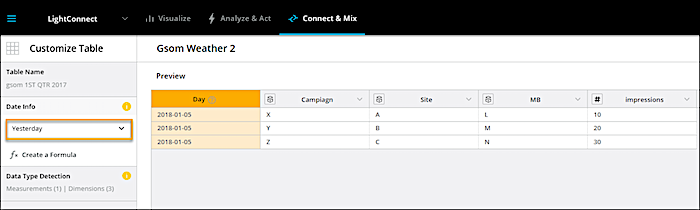
If the uploaded source file doesn’t have a date column but has measurements, the Yesterday day value is automatically assigned. A measurement must have a date.
If the uploaded file contains only dimensions, the day value is empty because it isn’t required.