
You can customize an existing data model field.
- Navigate to the Import tab.
- Expand Data Streams List.
- Create a data stream or edit an existing one.
- At the bottom of the Data Stream page, click Map to Model.
-
Select a field.
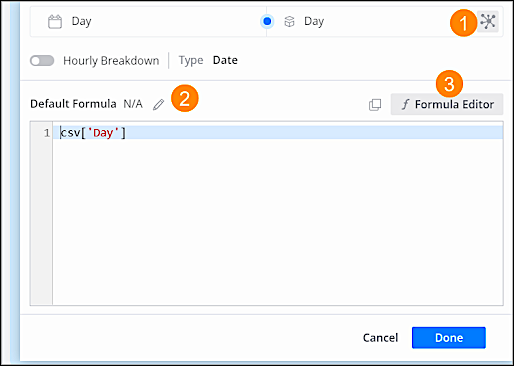
To change the properties, click Model Field Properties (1). To add or edit a formula, click Edit (2). To use more advanced functions, click Formula Editor (3).