
There are some handy actions you can apply when mapping. Some appear in the toolbar, while others can be found in the More Actions dropdown list.
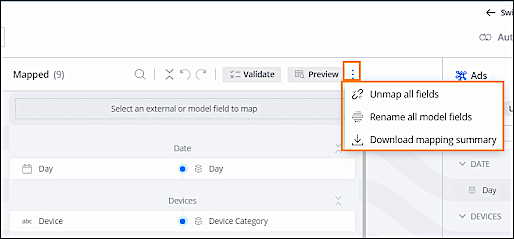
- Unmap all fields — Unmap all your mapped fields.
- Rename all model fields — Change the display name of all the data model fields to their external names.
- Download mapping summary — Download a summary of all the mapped fields to an Excel file.
- Preview — Preview how your mapped data looks after it’s done.
 Note
Note- Preview isn’t available for API data streams.
- The preview shows the top 100 rows of data.
- Any changes made to the mapping are automatically applied to the preview after the system validates that the mapping is correct. If any actions are made to the preview table (sort, filter, group, and so on), the data in the table isn’t refreshed,
- Validate — Check if all of your mapped fields are working as
expected. Here you can see if there are any errors or irregularities with the way your mapping
is set up. Note The system automatically validates your mapping after you save mapping changes.