
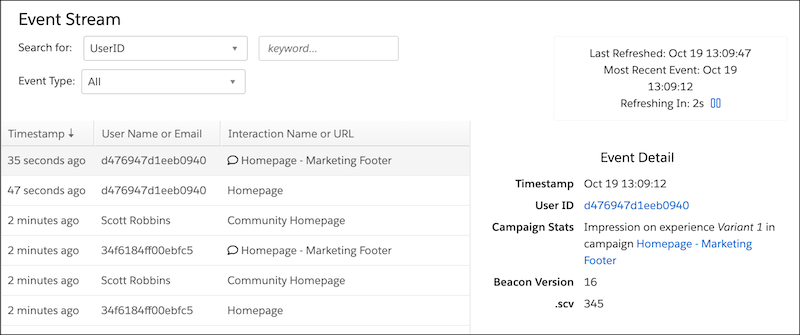
View the Event Stream report to see a queue of all the events that occur within your dataset in real-time, automatically refreshed every 15 seconds. You can add filters for UserID, Company, and Event Type. And you can filter for a channel audience member, referred to as a user in Personalization.
- Event Types
Personalization captures user activity as events. Depending on your dataset’s configuration, you see various event types. - View the Live Event Stream
Personalization captures user activity as events. The live event stream includes events for all of your website visitors. - View the Event Stream on a Customer Profile
View the Unified Customer Profile page for accounts and individuals, which are referred to as users throughout Personalization. After you view a profile, you can see the event stream for the account or user. - Export Events
Export events (that is, user activities) and bring this data into other systems for further evaluation.