
Use the Actions report to see activity tracked by Personalization, organized by the actions tracked in the dataset.
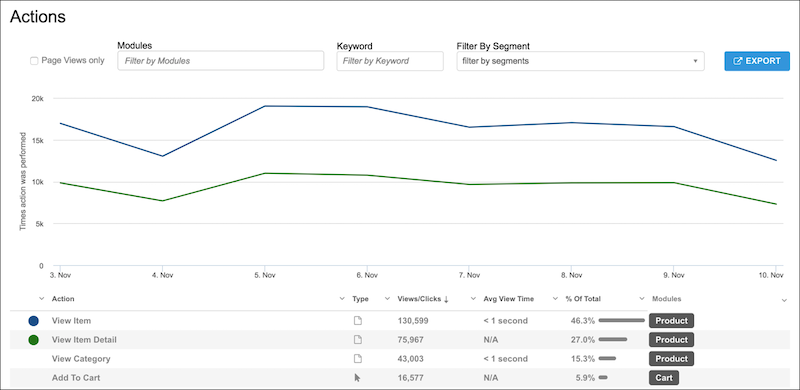
Actions are events that are assigned a name in Personalization. Actions such as page loads, clicks, or tracked events are captured during implementation.
When using the Actions report, keep the following in mind:
- Select Page Views only to see only page type actions.
- You can filter by modules, keyword, or segments.
- To narrow the results to visitors from a particular segment, apply segment filters.
To plot the data point for an action on the graph, select the action from the list view. You can see a comparison of different actions. The colored dot corresponds to the colored line on the graph.