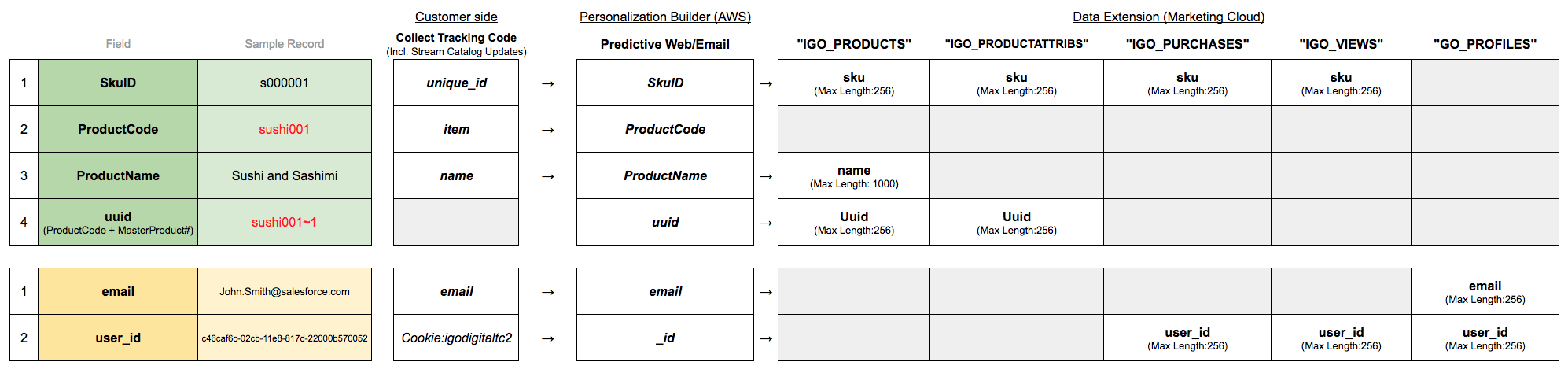
To ensure that catalog heading names are mapped to the required application field names, create a catalog field mapping in Einstein Recommendations.
- Click Field Mapping.
- Review the fields for mapping accuracy.
-
To change, expand the selection box under Your Headings and change the
selections listed in the catalog heading names.
Unique catalog headings are required for each field. Duplication of a heading automatically deletes the heading from the previously mapped field.
- For Additional Fields, indicate whether the mapping accepts multiple values.
- Select the tagged fields.
- Select fields to use for personalization.
- Select a data format that matches the date field in your catalog.
- Save your changes.

Example