
View examples of Email Send and MobileConnect Send and Stop in Marketing Cloud Engagement.
Email Send
This example demonstrates an email send using Tokenized Sending in Marketing Cloud Engagement.
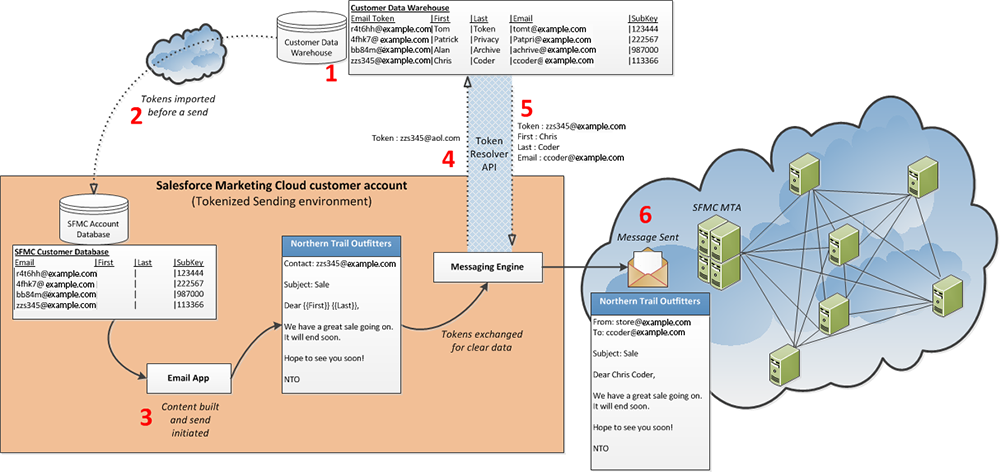
(1) Contact information is stored in the customer data warehouse.
(2) Tokens are imported before a send.
(3) User initiates a send. Content building occurs now.
(4) Marketing Cloud Engagement initiates a call to the customer data warehouse for contact information.
(5) Customer data warehouse returns contact information.
(6) Marketing Cloud Engagement uses returned contact information for send.
MobileConnect Send
This example demonstrates using Tokenized Sending for a MobileConnect Send in Marketing Cloud Engagement.
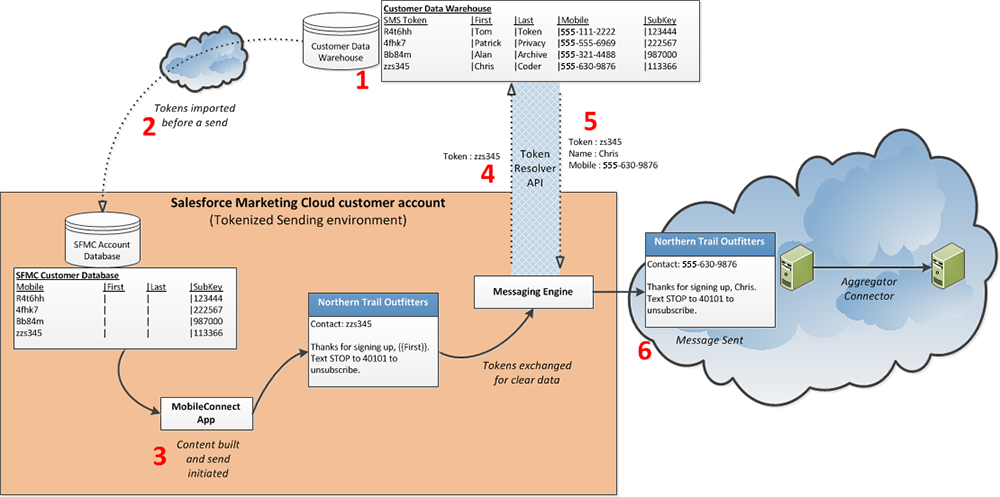
(1) Contact information is stored in the customer data warehouse.
(2) Tokens are imported before a send.
(3) User initiates a send. Content building occurs now.
(4) Marketing Cloud Engagement initiates a call to the customer data warehouse for contact information.
(5) Customer data warehouse returns contact information.
(6) Marketing Cloud Engagement uses returned contact information for send.
MobileConnect STOP
This example demonstrates Tokenized Sending for a MobileConnect STOP request in Marketing Cloud Engagement.
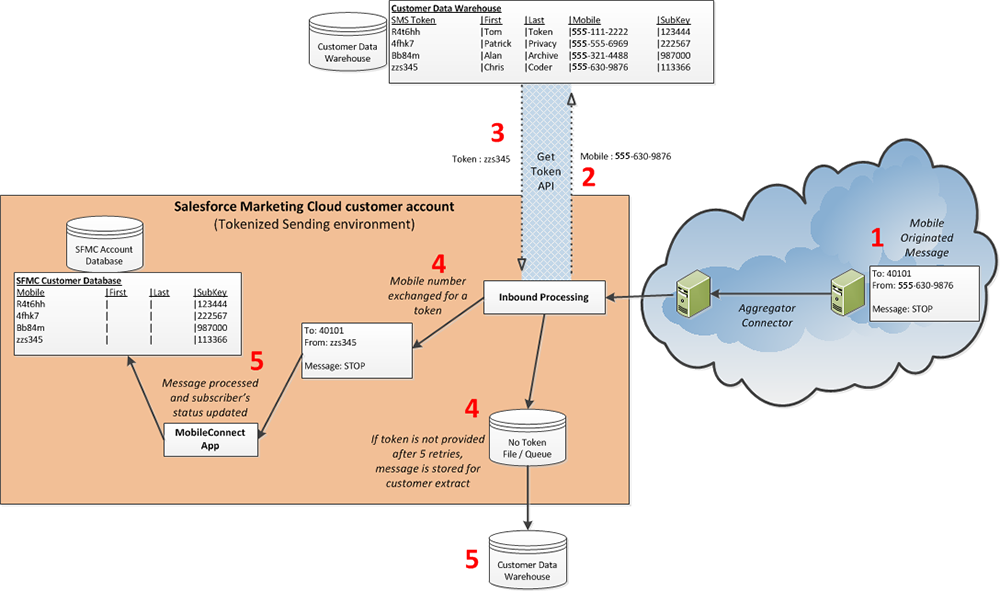
(1) Contact sends a STOP SMS message.
(2) Marketing Cloud Engagement initiates a call to the customer data warehouse with the mobile number used to send the STOP message.
(3) Customer data warehouse returns a token value.
(4) Marketing Cloud Engagement receives the token value linked to the mobile number.
(5) The contact record is updated if available. If no token is returned, Marketing Cloud Engagement stores the value for customer review.