
You can enhance your data in Marketing Intelligence using multiple methods. Use Data 360 Data Model Objects (DMO) to normalize your data for better consistency and insights.
Required Editions
| Available in: Developer, Enterprise, Performance, and Unlimited editions. |
| User Permissions Needed | |
|---|---|
| To enrich your data using Data 360 objects: | Marketing Intelligence Admin |
- From the App Launcher, find and select Marketing Intelligence.
- On the Data Management tab, select Data Enrichment.
- Click New Enrichment, and select Enrichment Source.
- Select a data space, name the enrichment, select the dimension, add an optional description, and then click Next.
-
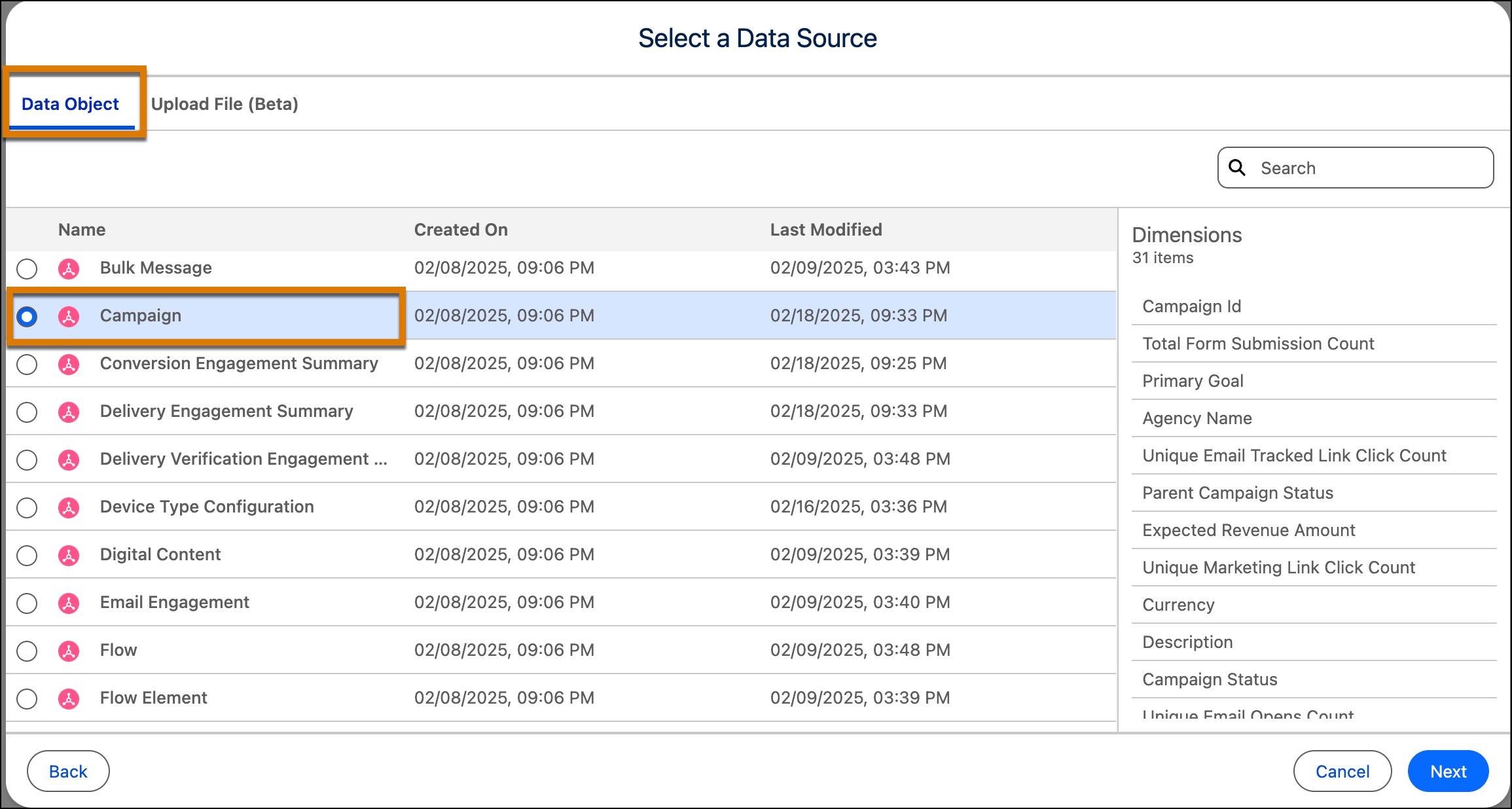
On the Data Objects tab, select a data object, and click Next.
When you select an object, its associated dimensions are listed on the right.
-
Preview the enrichment. You can edit the column names or set a dimension as a key.
The key determines how enrichment data joins the data model object (DMO). By selecting a key, each enrichment row maps correctly to the corresponding DMO records, allowing new fields to be added and used for analysis.
- To specify how a raw value appears in your data, expand Enrichment Properties and edit the values.
- Preview your data, and click Create.
Your enriched data is available on the Data Enrichment tab for reporting, dashboard visualization, and analysis.