
Delete a Phone Number from Your WhatsApp Business Account in Marketing Cloud Engagement
After you remove a connected or pending phone number from your WhatsApp Business account, WhatsApp messages aren’t sent for journeys configured with the deleted number.
- In the app switcher, from the Mobile Studio dropdown list, select WhatsApp.
-
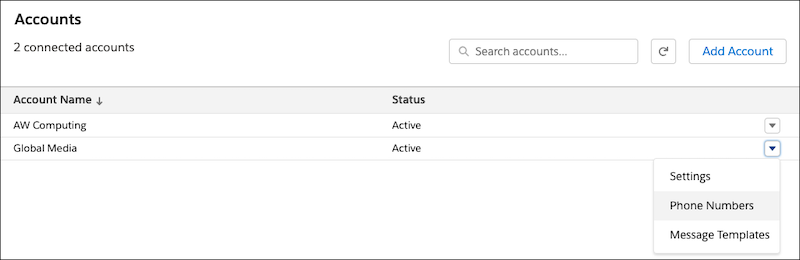
From the dropdown list for your active WhatsApp Business account, select Phone
Numbers.
If prompted, log in to the Facebook account associated with your business.
- In WhatsApp Business Manager, select the phone number that you want to delete, and click Delete.
-
Confirm that you want to delete the number.
If prompted, enter the password for the Facebook account connected to your WhatsApp Business account.