
Start an automation directly from the Automation Studio Overview page with one click.
You can also start automations on each automation's individual page.
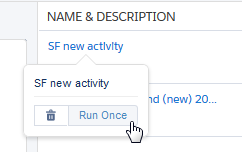
- Hover over the name of the automation.
-
Click Run Once.
-
Click Run.
 Tip To run a subset of activities only, use Advanced Run Once.