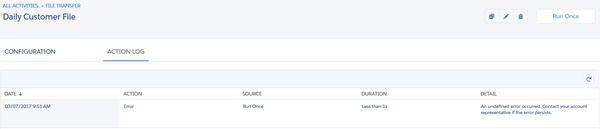
To access configuration details and run history for an Automation Studio activity, view the activity's object detail page. Use this page to locate error information about the activity, too.
- On the Activities page, select an activity type from the left menu.
-
Click the name of the activity whose details you want to
see.
This page also includes options to edit, copy, delete, or run the selected activity.
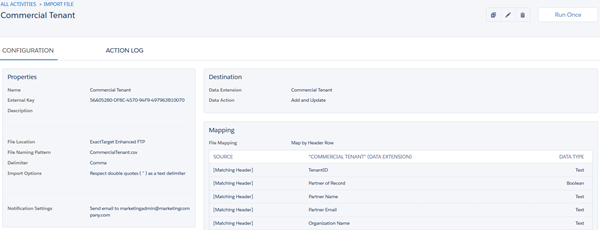
Configuration details are shown on the Configuration tab.
 Note Only Email, Data Copy or Import, File Transfer, and SQL Query activities have object detail pages currently.
Run history, including error information, is shown on the Action Log tab.