From the Promotion Console tab, marketing managers create promotions and manage
all the tasks related to promotions.
Required Editions
| Available in: Lightning Experience |
| Available in: Enterprise, Unlimited,
and Developer Editions with Real-Time Offer Management |
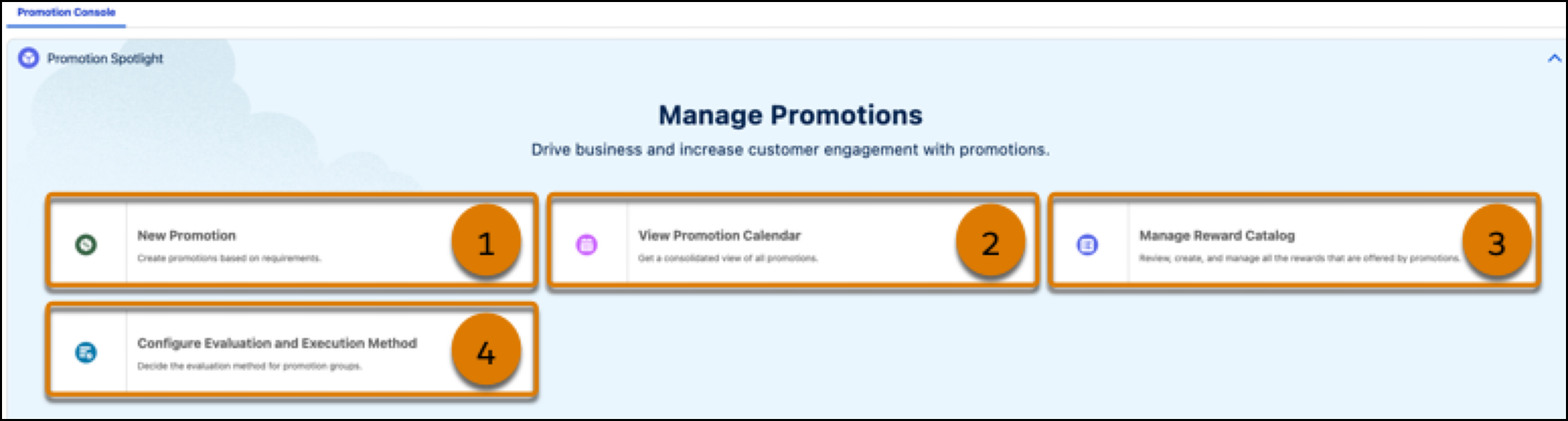
| Callout |
Component |
What It Does |
| 1 |
New Promotion |
Marketing managers can launch the Quick Promotion wizard and create promotions
that the company wants to run. |
| 2 |
New Personalized Promotion |
Marketing managers can launch the Quick Promotion wizard with the personalized
promotion templates, and create promotions that use personalized purchase targets to
tailor discounts and rewards based on each customer's behavior. |
| 3 |
View Promotion Calendar |
Marketing managers can view the promotion calendar and view the details of
expired, active, and upcoming promotions. On the calendar, marketing managers can also
view the company’s events and plan promotions in conjunction with the company’s
events. |
| 4 |
Manage Reward Catalog |
Marketing managers can add the rewards that they want to offer customers as part
of the promotions that they want to run for the company. |
| 5 |
Configure Evaluation and Execution Method |
Marketing managers can select an evaluation method for promotion subgroup within
the parent group that is automatically created for each Global Promotions Management
rule library. |
